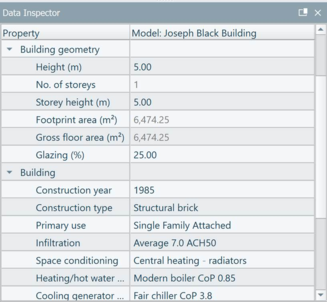
The Data Inspector (Figure 3-34) is where the properties of a model object can be viewed and edited. The data inspector shows properties referenced by the current selection set objects only. The properties displayed are unique to the type of object selected. To edit the value of a property, double click on the value.
Figure3-34:View of building object in the data inspector within iVN