3.12.5 Custom installation
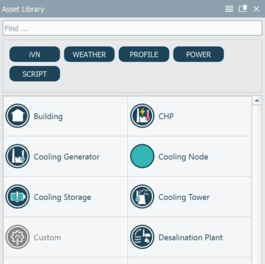
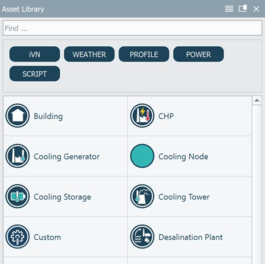
Custom installation is a 2D iVN (level 1) licensable object situated in the Asset library. Custom installations are script driven and allow users to write their own python script to drive installation behavior. Scripts must follow the format set out by iVN engine. Python script format is laid out in the ‘Basic’ Python script.
Figure 45: Asset library - Unlicensed and licensed Custom installation
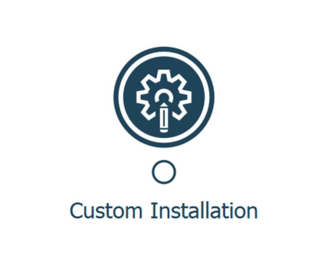
The custom installation can be drag/dropped from the Asset library onto the 2D iVN (level 1) viewer. The connector node is white and can be connected to any of the iVN network nodes; electricity, cooling etc., in the same way as Building and Generic installations.
Figure 46: 2D iVN (level 1) – Custom installation object icon
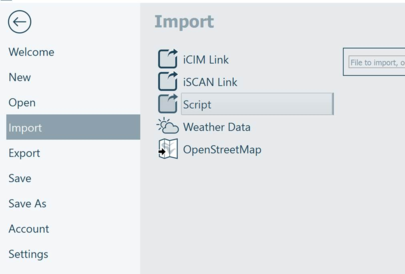
Custom installations are python script driven. Python scripts are imported into the Asset library via the Homepage > Import > Script. Python scripts work in the same way as imported Weather files, in that the file directory is retained by the project. Therefore if a project is shared between users, iVN may display a modal dialog upon project load informing the user that the Python script cannot be found.
Best practice is to save scripts within a project folder, before sharing the project folder with another user.
If a user makes changes to a python script externally to the iVN application:
- Changes to the main body of the script are automatically updated within iVN
- Changes to the Meta data of the script are only updated on project load.
Figure 47: Homepage – Import > Script
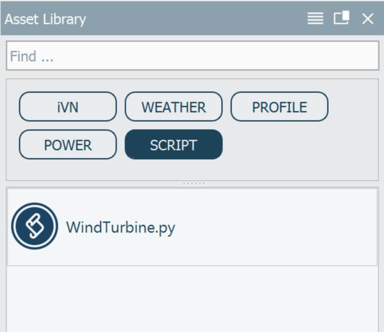
Upon import scripts are displayed in the Asset library and can be filtered via the Asset library Script tag.
Figure 48: Asset library – Script tag filter
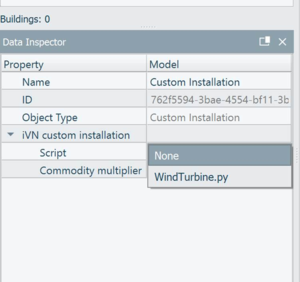
Scripts are to be assigned to a Custom installation via the Data inspector, upon selecting the Custom installation object.
Figure 49: Data inspector – Custom installation properties
Custom installations form part of the iVN network simulation via the Simulation hub.
Custom installation results are reported via the Analysis inspector, an example of the result for the Wind Turbine python script is shown below.
Custom installation results are unitless. Units can be included within the result variable name, if required.