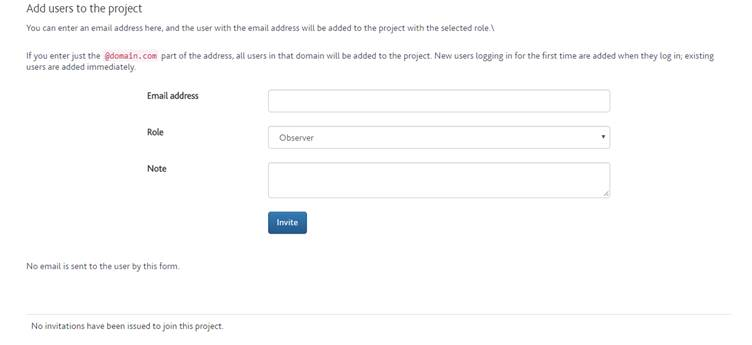
To add a new user to your project you can use the form in {fig} to invite them to the project. If the email address has an active ISCAN account they will be added to the project and see it in their project list the next time they log in to ISCAN. They will also have a notification on screen the next time they open the projects page.
Email address
The users email address to add to the project. Note you can enter just the domain part of the email to add all users with that domain. Ie. “@yourdomain.com” will add all ISCAN users who have an email address ending in “@yourdomain.com”.
Role
The role to grant to the user when added. See user roles
Note
An optional note the user will see in the notification when they log in to ISCAN
Invite
Send the invitation to the user
Invitations sent
A table showing invitations sent to users who do not have an ISCAN account. If no invitations have been sent a message will show saying this.
Users can also request access to a project by responding to a link issued by the project administrator. To get the link for the request page click “this link” under the “Requests to join project” heading and copy the address from the address bar.
Any requests to join a project will be shown in a table below “Requests to join project”. If no requests have been sent a message will show this.
When a request is sent to join a project the administrators of the project will receive a notification the next time they log in to ISCAN.