The main toolbar for SunCast is as follows:
|
|
Load settings
|
|
|
Save settings
|
|
|
Select zone(s)
|
|
|
Create script
|
|
|
Model orientation
|
|
|
SunPath diagram
|
|
|
Sun up/down times
|
|
|
Sun rise/set graph
|
|
|
Solar shading calculations
|
|
|
|
Note this should not be confused with the Image toolbar (on the Image tab).
These functions are now described below.
Load Settings
Allows the user to load specific settings for the model. This function can also be activated from the “File” menu.
Save Settings
This allows the user to save specific settings for the model. This function can also be activated from the “File” menu.
Select Zone(s)
Allows the user to select zones from the Viewport – this is the default condition that is active.
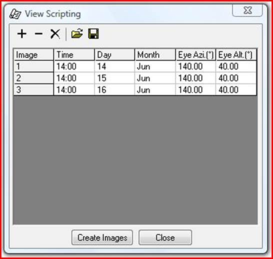
Image Script
This is activated from the

button on the toolbar.
The toolbar buttons have the following functions -
|
|
Add image(s) from current setting to script.
|
|
|
Remove selected images from script.
|
|
|
Remove all images from script.
|
|
|
Open an existing script file.
|
|
|
Save the script.
|
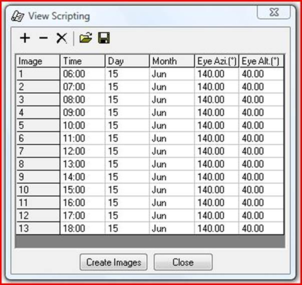
In addition to user defined scripts, SunCast comes supplied with some standard scripts which can be used with any model.
The “Create Images” button will generate the images in the script and the “Close” button will exit from this option.
SunPath
This function can also be activated from the “Calculation” menu – see section 10.4 for more information.
Sun Up/Down Times
This function can also be activated from the “Calculation” menu – see section 10.2 for more information.
Sun Rise/Set Graph
This function can also be activated from the “Calculation” menu – see section 10.3 for more information.
Solar Shading Analysis
This function can also be activated from the “Calculation” menu – see section 10.1 for more information.