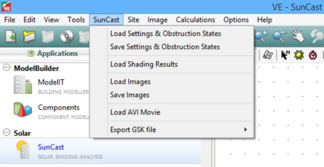
This menu has the following options:
Load Settings
This allows the user to load specific settings for the model (zone/surface visibility settings). This function can also be activated from the SunCast toolbar.
Save Settings
This allows the user to save specific settings for the model (zone/surface visibility settings). This function can also be activated from the SunCast toolbar.
Load Shading Results
This allows the user to load previously created shading results. The table of results is automatically displayed when the data has been read in.
Load Images
Load the images selected, also activated by the

icon on the
Image toolbar.
Save Images
Save the selected images, also activated by the

icon on the Image toolbar.
Load AVI Movie
This plays the selected AVI file.
Export GSK file
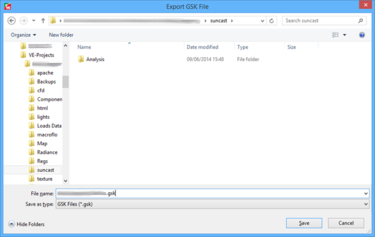
The GSK file is a version of the model geometry which is used as an input to the suncalc engine for the parallel process enabled solar shading calculations. It is exported automatically when any relevant analysis is run but can also be output manually where it may be required for troubleshooting.
Below is a list of all the models that can be exported. Note most of these models have to be created by you in order to show up in the menu. What shows up also depends on what VE modules/licences you have installed.
· Real Building
· VE Compliance (UK & Ireland) Actual Building
· VE Compliance (UK & Ireland) Notional Building
· VE Compliance (UK & Ireland) Reference Building
· GreenMark Real Building
· GreenMark Proposed Building
· GreenMark Reference Building
· GreenMark Proposed Building for ETTV
· GreenMark Reference Building for ETTV
· PRM Proposed Building
· PRM 0° Baseline Building
· PRM 90° Baseline Building
· PRM 180° Baseline Building
· PRM 270° Baseline Building
· Solar Analysis Model
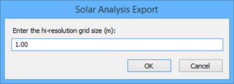
Unlike the other options, this model is created on the fly. When you select the menu item you will be prompted to enter a grid size for your model to be exported at.
Enter a value of between 10cm and 10m to create a hi-resolution version of your model, or use a value of 0m to export it as is.