In this section we explore the updates to the VE which enable the generation of the DGP metric.
3.1 Image Generation
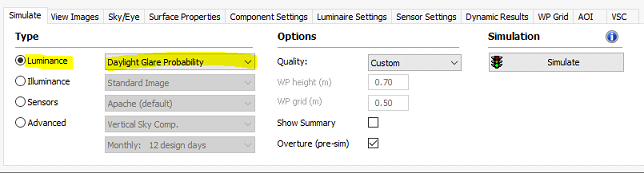
Since the analysis of DGP is only available for a hemispherical fish-eye luminance image a new option has been added to the "Luminance" image options -
Using this option the DGP glare file is automatically generated. To create a link between the parent image and the generated glare image, the DGP image has the label "_dgp" added to the file name, e.g. "image1.pic" would generate "image1_dgp.pic".
Note: it is still possible to create the required hemispherical fish-eye image by using the options on the "Sky/Eye" tab and the "Standard Image" option, but the glare file would have to be generated from the "Glare" menu (see 3.2 below).
2.2 Manually create DGP image
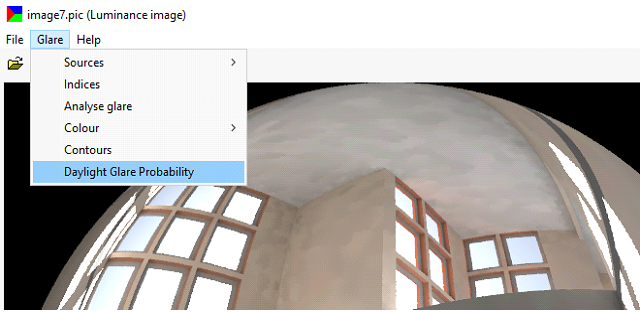
If you have a hemispherical fish-eye luminance and want to create the DGP image, then the menu option "Daylight Glare Probability" is active in the "Glare" menu -
This will overwrite an existing DGP file linked to the parent image, and also the "glare data" file.
3.3 File editing
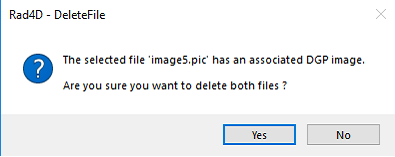
You can delete the DGP glare files as you would for any other image file (it will give you the prompt to ensure that this was intended). However if you try to delete the parent luminance image and there is a glare image then, after the usual prompt, you will get an additional prompt -
In effect you cannot delete the parent image without also deleting the generated glare image.
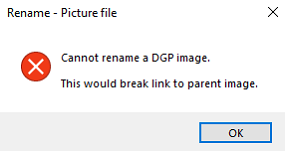
You cannot rename a glare image, the following prompt is shown -
If you rename a parent image then the glare image is also renamed, and the "glare data" file.