Synchronising a VE model to your ISCAN Building can be carried out in two ways.
VE Model files
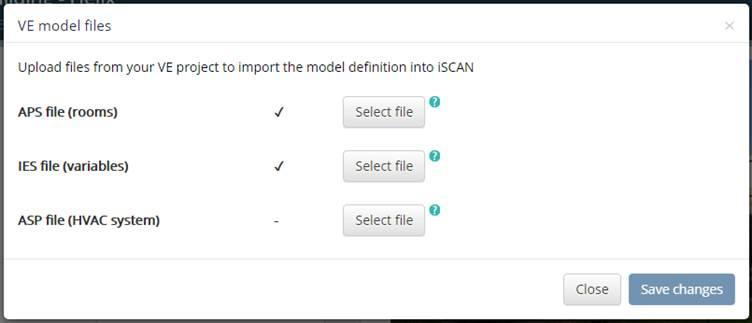
Allows you to manually upload files from your VE model to import information about the model such as Rooms information, HVAC systems, ApacheHVAC Networks, Free form profiles and VistaPro varaibles. This enables you to use features such as APM file exports and mapping of channels for FFD file exports.
Figure 19
APS File (rooms)
Imports a list of Vista variables and lists of Rooms, HVAC Systems, HVAC Nodes, HVAC Components where applicable from the model. Required for APM exports, Channel Name autocomplete and pages for applicable lists.
It’s recommended to run a 1 day simulation of your model to create a small size aps file. The file will be located in your VE project vista folder.
IES file (variables)
Contains non-standard VistaPro variables. Optional import from project vista folder. It’s recommended you import this if you have existing apm exports. Ies files are named “<modelname>vistaset.ies”
ASP file (HVAC system)
Imports ApacheHVAC network file for VistaPro HVAC network visualisation. Not required where no ApacheHVAC network was used in simulation. The file will be located in you VE project vista folder
After locating the files you wish to sync to your building click the “Save changes” button. To cancel click the “Cancel” button or “x” in the dialog box.
VE Live sync
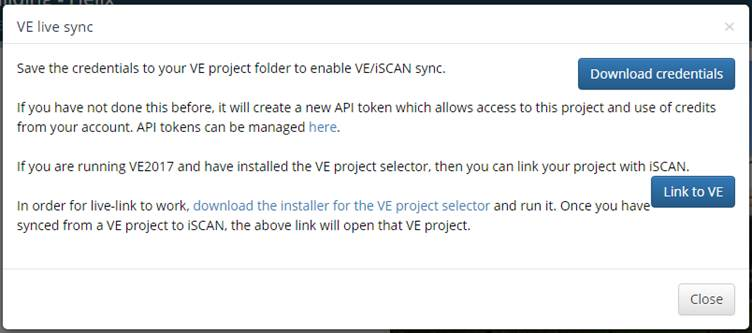
Allows you to download credentials to enable the VE/ISCAN sync. This sync allows automatically download FFD, APM from within the VE. See also VE Cloud - Sync Tool user guide.