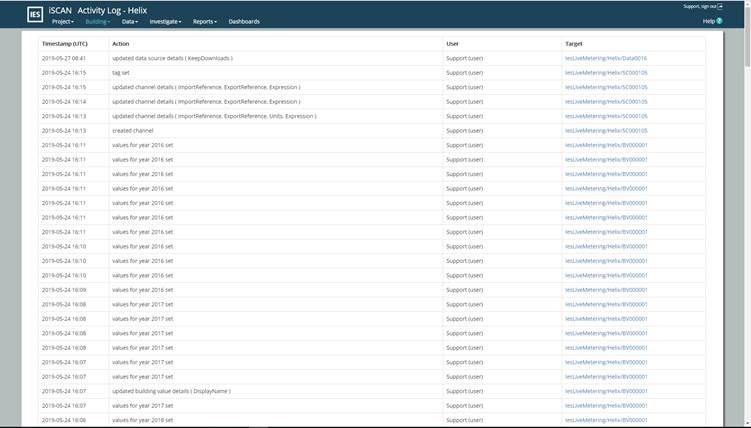
The Building log page provides a record of all actions carried out in the building. To see actions for the entire project you can use the Project log
Figure 21
The white area is the page contents. The top left shows the page name and the Building name.
Below that is the recorded log. Each row is a record in the log and details are shown for;
Timestamp (UTC)
The UTC timestamp of the record. Note this is may not be your local time.
Action
A description of the action carried out
User
The user who carried out the action
Target
A link to the item in SCAN to which the action was done.
As the log is limited to show 200 actions there are a number of controls to navigate the Building log. These are located at the bottom of the page.
Show automated actions (checkbox)
If this box is checked you will see automated actions in the log also. Automated actions include but are not limited to: SCAN-robot actions, automated imports, weather polling, API requests, etc…
By default, automated actions are not shown.
Latest
Clicking will bring you to the first page of the log and the most recent
Newer
Clicking will step one page closer to the most recent actions
Page number
This shows the current page number being viewed. You can also type in a page number and “Enter” on your keyboard to go directly to a page