4.7.5. Creating a Complex Geometry Building
Once the 3D shape is properly defined, creating a complex geometry from it is done in 2 steps:
- Making a group out of the 3D shape
- Using the Create tool.
Grouping the 3D shape
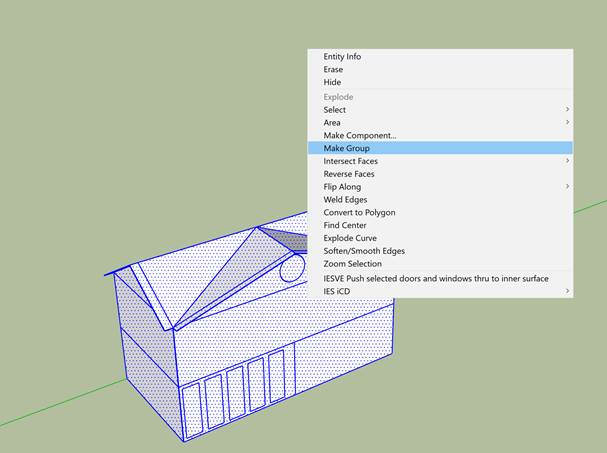
Before creating a Complex Geometry Building it is necessary to make the 3D shape a group.
To do so:
- Select all the 3D shape
- Right-click the 3D shape to open the contextual menu and click “Make group”
Figure 4-26 converting the 3D shape as a Group
Creating the building
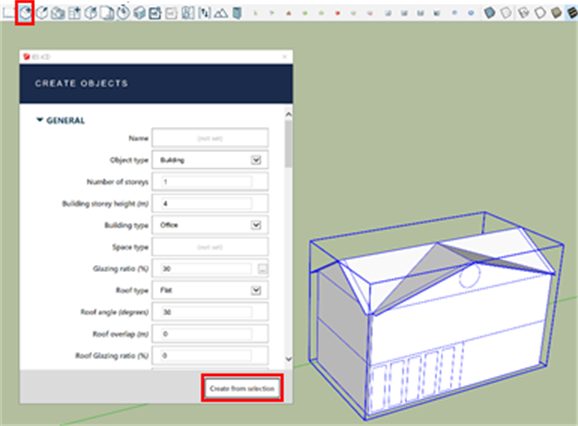
Once the 3D shape grouped, select the newly created group and go to the Create tool in the iCD toolbar.
Figure 4-27 Creating a Complex geometry building from the Create Dialog