4.7.6. Converting a simple geometry building into a Complex Geometry Building
It is also possible to convert a Simple geometry Building that was initially created from a polygon – whether it was manually drawn or imported from an OSM or created from a GeoJSON file – into a Complex Geometry Building in order to edit the geometry in more detail.
Note: Converting a building into a Complex Geometry building is non-reversible process. A Complex Geometry building cannot be converted back into a simple geometry building.
To convert a building into a Complex geometry building:
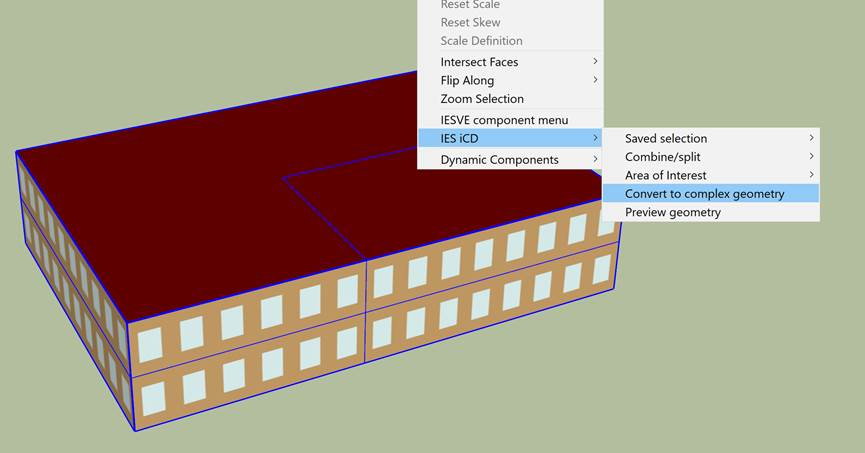
- Right-click the buildings to open the contextual menu
- Go to IES iCD> Convert to complex geometry
Figure 4-28 Contextual menu showing the "Convert to complex geometry" option
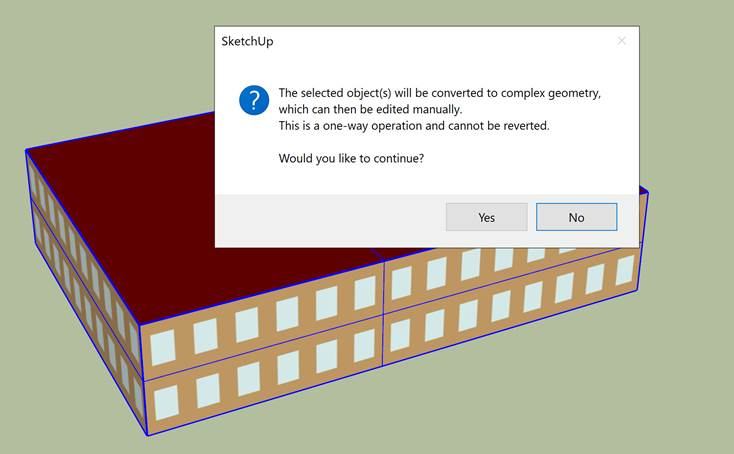
- iCD prompts a warning message indicating that this process is not reversible: A complex geometry building cannot be converted back into a simple geometry building.
- Click “yes”
Figure 4-29 Warning message while converting a simple geometry into a complex geometry
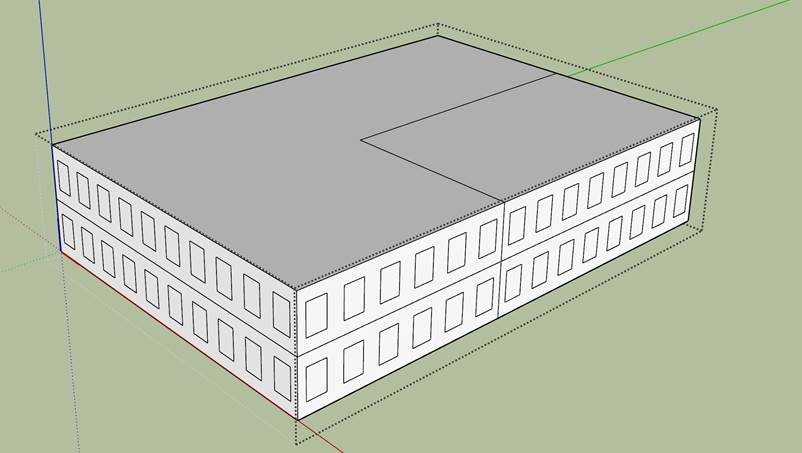
- The building is now a Complex Geometry Building. It is not defined by its footprint anymore but by its 3D shape.
- It is possible to edit the geometry further by double clicking on it
Figure 4-30 Newly converted complex geometry building is now defined by its 3D shape and not its footprint