While simple geometry buildings are created from a footprint (see chapter 4.5Creating objects from drawn polygons), complex geometry are created from 3D shapes.
In order for iCD to correctly create complex geometry buildings and identify the spaces it is composed of; the 3D shape should be constituted of bounded volumes.
To check how iCD will understand the 3D shape and create the building, users can use the Geometry Preview functionality before creating the building.
To open the Geometry Preview:
- Select all your 3D shape
- Right-click the selected 3D shape to open the contextual menu
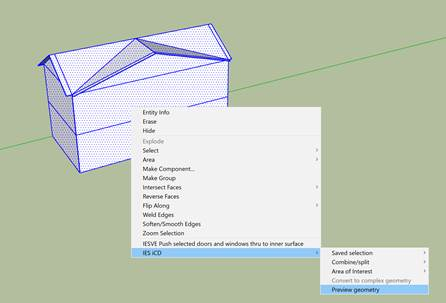
- Go to IES iCD > Preview Geometry (see Figure 4-24 below)
Figure 4-24 Geometry preview access in the contextual menu
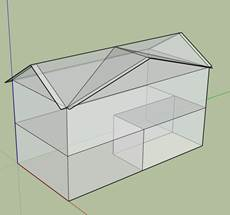
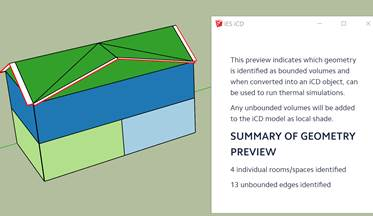
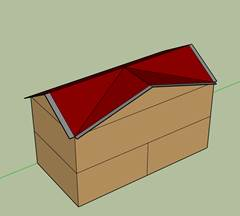
In the example below (Figure 4-25), the 3D shape is made of 4 bounded volumes (2 on the ground floor, 1 on the first floor and 1 attic space) that are identified as 4 spaces by iCD. Faces that define roof overhangs are identified as “unbounded edges” (white and red faces in the middle image) and will be converted to local shades (in grey on the right image).
Figure 4-25 3D shape (left), Geometry Preview (centre), building created (right)