An iCD object can also have its attributes’ values evolving over time and it can be reflected in the model. This point is particularly important if multi-year simulations are to be performed.
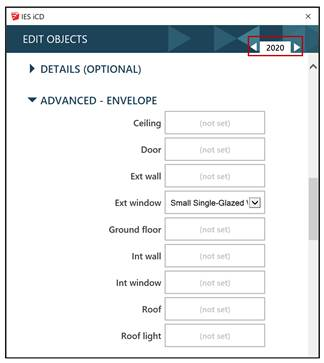
When an object attribute’s value is set in the Query tool (see chapter 4.9.1QUERY TOOL), the time editable field in the upper part of the window indicates for which year the attribute is being set (Figure 4-97).
Figure 4-107 Room/Building query tool set for the year 2020
Note: If an attribute is set for a year, the value persists for all the following years.
If the attribute’s value is to change on later date, the user can change it by selecting the year in which the change occurs and change the value.
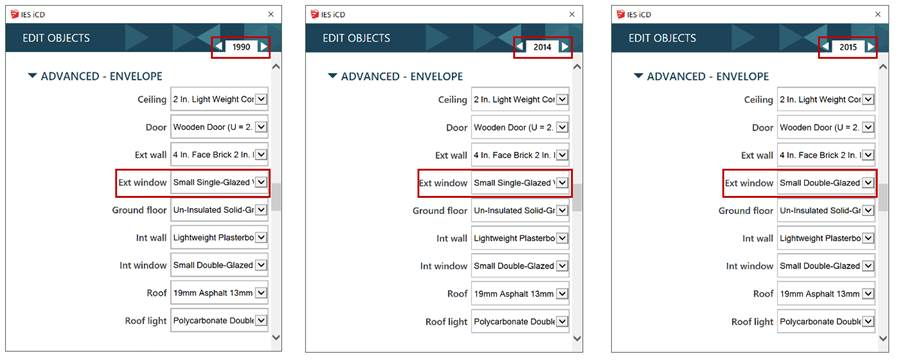
Example: In the below example (Figure 4-98), a building built in 1990 has single glazed windows. The windows are replaced with double glazed window in 2015. To reflect this situation the “Ext window” attribute was set as “Small Single-Glazed Windows” for the year 1990. Then it was set as “Small Double-Glazed Windows” for the year 2015.
This example also shows that the attribute’s value set in 1990 persists until 2014.
Figure 4-108 Evolution of an attribute's value over time