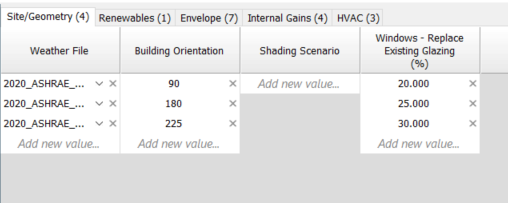
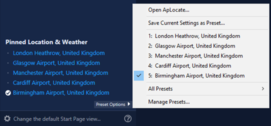
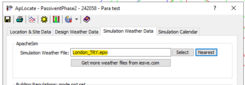
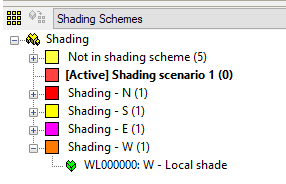
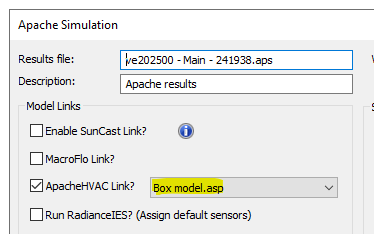
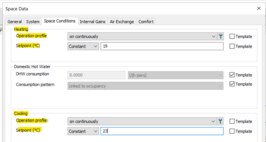
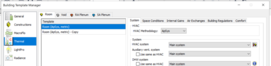
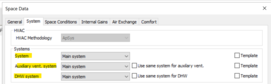
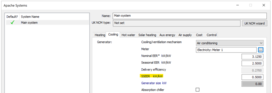
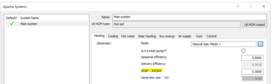
Table below list the Parametric Tool categories and parameters accessible to the user.
|
|
|
|
Apply run # to model
|
|
|
|
Category
|
Parameter
|
Area of interest
|
Create new
|
Override existing
|
|
|
Site/Geometry
|
Location
|
Start Page
|
|
x*
|
* Applies weather file
|
|
|
Weather File
|
APPro
|
|
x
|
|
|
|
Building Orientation
|
ModelIT
|
|
x
|
|
|
|
Shading Scenario
|
Model Browser
|
|
x*
|
* Applies active shading scheme
|
|
|
Windows - Replace Existing Glazing (%)
|
ModelIT
|
x*
|
x
|
* Creates new glazing where not initially drawn
|
|
Renewables
|
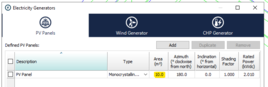
Solar Panel Area (m2)
|
Electricity Generators
|
|
x
|
|
|
|
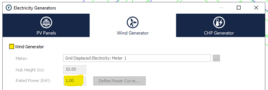
Wind Generator Rated Power (KW)
|
Electricity Generators
|
|
x*
|
* User is required to tick on Wind Generator
|
|
Envelope
|
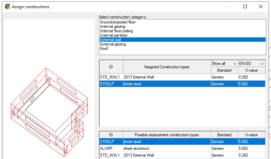
External Wall Construction
|
APcdb
|
|
x
|
|
|
|
Roof Construction
|
APcdb
|
|
x
|
|
|
|
Ground Floor Construction
|
APcdb
|
|
x
|
|
|
|
External Window Construction
|
APcdb
|
|
x
|
|
|
|
Roof Light Construction
|
APcdb
|
|
x
|
|
|
|
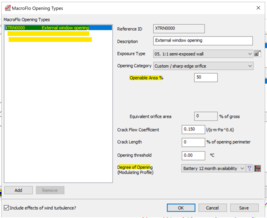
External Window Opening Type
|
MacroFlo
|
|
x
|
|
|
|
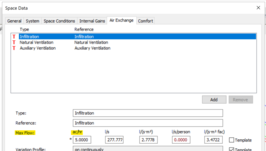
Infiltration Max Flow (Individual Air Exchange)
|
Space Data
|
|
x
|
|
|
|
Armstrong Ultima Templok (%)
|
ModelIT
|
|
x
|
|
|
|
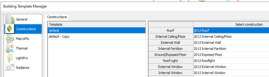
Envelope Template
|
Building Template Manager
|
|
x
|
|
|
|
External Door Construction
|
APcdb
|
|
x
|
|
|
|
External Window Openable Area Percentage
|
MacroFlo – Refer to “External Window Opening Type”
|
|
x
|
|
|
|
External Window Opening Variation Profile
|
MacroFlo – Refer to “External Window Opening Type”
|
|
x
|
|
|
|
Internal Celiing/Floor Construction
|
APcdb
|
|
x
|
|
|
|
Internal Window Construction
|
APcdb
|
|
x
|
|
|
|
Partition Construction
|
APcdb
|
|
x
|
|
|
Internal Gains
|
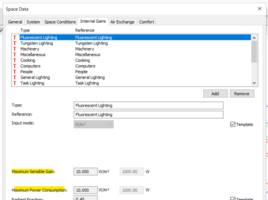
Lighting Max Sensible Gain and Power Consumption (Individual Gain)
|
Building Template Manager
|
|
x*
|
* Based on input mode W/m2 and W (for all lighting types)
|
|
|
Lighting Dimming Profile
|
Building Template Manager
|
|
x*
|
* Applied to all lighting types
|
|
|
Computers Max Sensible Gain and Power Consumption (Individual Gain)
|
Building Template Manager
|
|
x
|
|
|
|
Misc Max Sensible Gain and Power Consumption (Individual Gain)
|
Building Template Manager
|
|
x
|
|
|
|
Cooking Max Sensible and Gain and Power Consumption (Individual Gain)
|
Building Template Manager
|
|
x
|
|
|
|
Data Centre Max Sensible and Gain and Power Consumption (Individual Gain)
|
Building Template Manager
|
|
x
|
|
|
|
Lighting Installed Power Density (Individual Gain) (W/m2/(100 lux))
|
Building Template Manager
|
|
x*
|
* Based on input mode Lux (for all lighting types)
|
|
|
Machinery Max Sensible and Gain and Power Consumption (Individual Gain)
|
Building Template Manager
|
|
x
|
|
|
|
Misc Max Latent Gain (Individual Gain)
|
Building Template Manager
|
|
x
|
|
|
|
People Max Latent Gain (Individual Gain)
|
Building Template Manager
|
|
x
|
|
|
|
People Max Sensible Gain (Individual Gain)
|
Building Template Manager
|
|
x
|
|
|
|
People Occupancy (Individual Gain)
|
Building Template Manager
|
|
x
|
|
|
|
Process Equipment Max Latent Gain (Individual Gain)
|
Building Template Manager
|
|
x
|
|
|
|
Process Equipment Max Sensible and Gain and Power Consumption (Individual Gain)
|
Building Template Manager
|
|
x
|
|
|
|
Refrigeration Max Sensible and Gain and Power Consumption (Individual Gain)
|
Building Template Manager
|
|
x
|
|
|
HVAC
|
ApacheHVAC File (ASP)
|
ApHVAC
ApacheSim
|
|
x
|
|
|
|
Cooling Setpoint
|
Space Data
|
|
x
|
|
|
|
Heating Setpoint
|
Space Data – Refer to “Cooling Setpoint”
|
|
x
|
|
|
Space
|
Cooling Profile
|
Space Data – Refer to “Cooling Setpoint”
|
|
x
|
|
|
|
Heating Profile
|
Space Data – Refer to “Cooling Setpoint”
|
|
x
|
|
|
|
Humidity Control Max
|
Space Data
|
|
x
|
|
|
|
Humidity Control Min
|
Space Data – Refer to “Humidity control Max”
|
|
x
|
|
|
|
Thermal Template
|
Building Template Manager
|
|
x*
|
*
|
|
Systems
|
Aux Vent System
|
Space Data
|
|
x
|
|
|
|
Cooling SSEER
|
Apache Systems
|
|
x
|
|
|
|
DHW System
|
Space Data – Refer to “Aux Vent System”
|
|
x
|
|
|
|
Heating SCoP
|
Apache Systems
|
|
x
|
|
|
|
HVAC System
|
Space Data – Refer to “Aux Vent System”
|
|
x
|
|
|
|
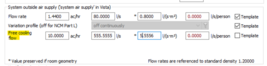
System Air Supply Free Cooling Flow
|
Space Data
|
|
x
|
|
|
Ventilation
|
Auxiliary Max Flow (Individual Air Exchange)
|
Space Data – Refer to “Natural Max Flow”
|
|
x
|
|
|
|
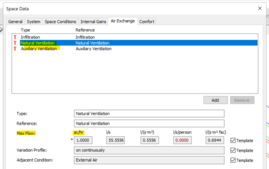
Natural Max Flow (Individual Air Exchange)
|
Space Data
|
|
x
|
|