Once you have imported roof terminal components from the library, and before insertion into the model, component details can be viewed and edited to set design setpoints etc.
In the Navigator select Copy and make variants of Passivent products or open Component modeller.
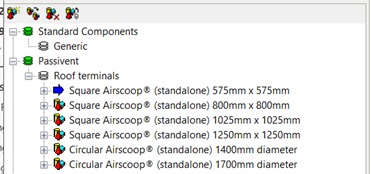
In the Component library object browser you will see a list of component categories; under the Passivent category there will be a list of all the imported Passivent Roof terminal components.
Fig 6: Component modeller browser
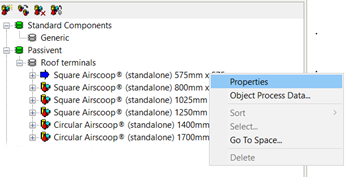
Right-click on one of the Passivent components and select the Properties option:
Fig 7: Component modeller browser menu
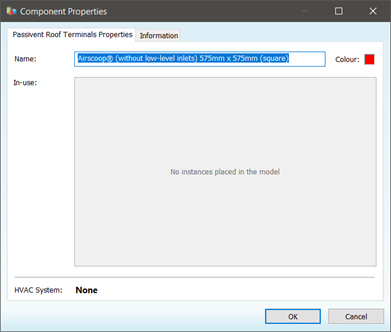
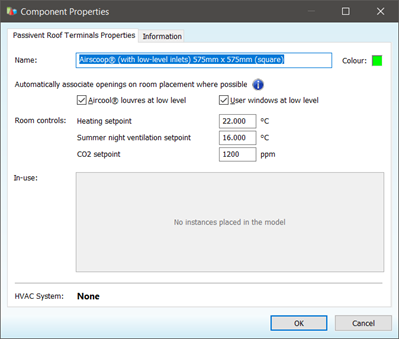
This will display the Component Properties window, consisting of two tabs: Properties and Information.
Fig 8: Component properties dialog standalone
The Properties tab (without low level inlets) allows you to edit the component name and see if the component is in use in the model.
The Properties tab allows you to edit the component name, where possible louvres and windows should be automatically identified when applied to a room, edit terminal controls operational setpoint and to see if the component is in use in the model.
Within Component modeller components can be created, copied and deleted using the icons on the browser.