Clear field or repeated transmittances, depending on their type, are defined either as part of a continuous layer (typically ties, fasteners that typically have a small effect) or by inserting a composite layer (typically framing, studs, joists, rafters, mortar, battens, plaster dabs, mullions in curtain walling) in the construction layer build-up.
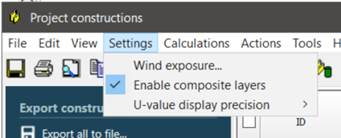
The use of a composite layer requires the feature to be enabled first; this is set on the ApCDB settings menu.
Fig: Enabling the composite layer tool
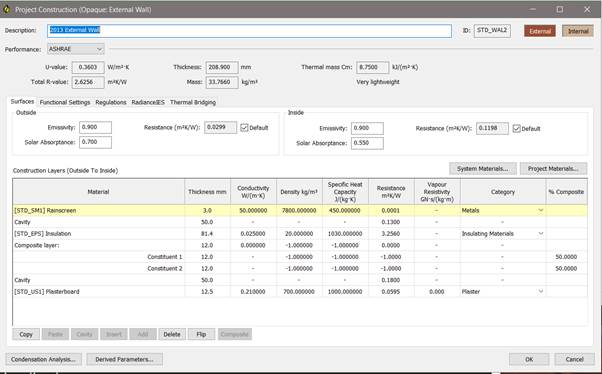
Once enabled the composite layer button becomes active on the construction editor dialog.
Fig: ApCDB construction layers, composite layer button, composite layer
Previous Figure shows an external wall construction with a composite layer inserted between inner and outer brickwork leaves. The composite layer comprises three input rows:
Composite layer total row – the composite properties.
Composite 1 - the properties and the % of the area this element fills in the layer.
Composite 2 - the properties and the % of the area this element fills in the layer.
See the ApCDB user guide for more information on composite layers.