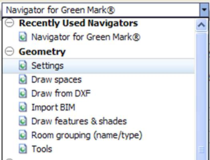
This section of the navigator allows the creation of the building model using the ModelIT module in the <Virtual Environment>.
Please see the appropriate modelling user guides in the Help section for more information on ModelIT.
Additional guidance is also available using the Navigators in the Geometry section of the Navigator selection drop-down.
At this stage, several templates can be defined for thermal conditions, materials, general parameters for the building. It is advised that before starting the geometry construction, the templates related to lettable/common spaces areas are chosen and assigned during the construction of the model. This information will be used for the automatic computation of the EEI of the building.