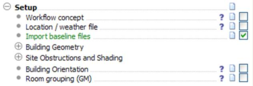
This command imports a selection of Singapore / Green Mark® baseline data. This data is required for a number of Green Mark actions, but also provide the user with a convenient selection of data from which to derive their own settings.
Upon selecting this item, the user is prompted to select the appropriate Baseline file data set. The appropriate location is pre-configured. The user should open the “GreenMark.mit” data file.
Once the file is loaded, a selection of baseline data is imported. This includes Green Mark® appropriate profiles for Internal Loads (Lighting, Equipment) and Occupancy. The Construction Database (CDB) will also be seeded with a number of constructions and materials appropriate for the Singapore location. Default HVAC and ApacheSystems data is loaded, ready for user customization.
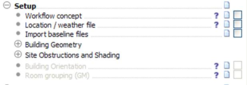
At some instances, this item must be checked as completed to unlock further actions in the Navigator. Unlocked steps of the Navigator are greyed out, and cannot be clicked on. This will mean that a previous compulsory step has not been performed before, and that the associated box needs to be ticked.
Example: early in the workflow, the models have to be imported to be able to continue with the process.


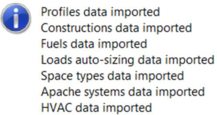 Upon selecting this item, the user is prompted to select the appropriate Baseline file data set. The appropriate location is pre-configured. The user should open the “GreenMark.mit” data file.
 At some instances, this item must be checked as completed to unlock further actions in the Navigator. Unlocked steps of the Navigator are greyed out, and cannot be clicked on. This will mean that a previous compulsory step has not been performed before, and that the associated box needs to be ticked.