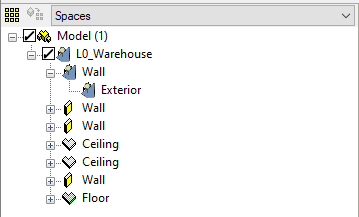
A TSC is assigned to an adjacency in the browser by right-clicking on it (in the same way as a Temperature sensor is assigned in ApacheView). You should then see a TSC symbol on the adjacency, its parent surface and its parent zone, as shown below.
Important: before going to Room Data in SBEM compliance view to enter the TSC areas, you must Save the browser changes.
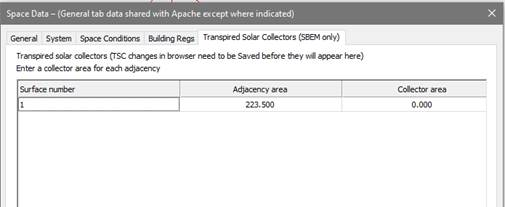
On the above tab surfaces are numbered from 1 as they appear in the browser. Adjacencies are identified only by area. If you have multiple adjacencies with similar areas, again the listing order is the same as in the browser. For each adjacency listed, you need to enter a collector area up to a maximum of 90% of the adjacency area.
Do not forget that the TSC properties must be defined under Renewables, see Step 6 below.