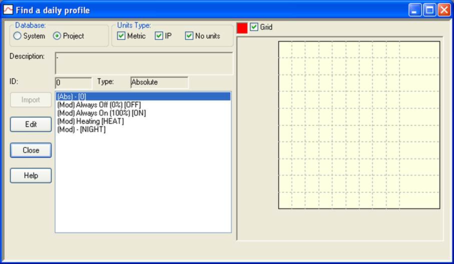
The facility called Find a Daily Profile, accessed via the options of that name on the Edit menu and toolbar, provides facilities for quickly finding daily profiles with particular attributes. It covers both system and project daily profiles.
Figure 6 Finding a daily profile
When a profile is selected from the list the following attributes are displayed:
Description : A description of the profile in words.
ID : A unique identifier assigned to the profile when it is created.
Type : The profile type (modulating or absolute)
A graph of the profile is also displayed.
Buttons provide the following functions:
Database : Switches between the two databases:
System: A centrally stored database of daily profiles.
Project: Daily profiles in the project.
Units Type : Restricts the listing to daily profiles expressed in particular unit types:
Metric: Profiles expressed in metric units.
IP: Profiles expressed in inch pound units.
No units: Profiles expressed in no units (non-formula modulating profiles).
Import : Copies the profile to the project from the system database.
Edit : Displays a dialogue for editing the profile.
Close: Closes the Find a daily profile dialogue.
Help : Provides help on the Find a daily profile dialogue.