Of course it is entirely up to the user how they name their profiles but one should be aware that the selection lists can contain many profiles so finding the desired item becomes easier with a consistent and clear naming convention.
Another thing to bear in mind is that some of the selection lists are not particularly wide so very long profile names can be difficult to tell apart.
e.g. “OCC 8-6 Office occupancy”, “HTG 7-7 Office heating control”.
Deleting Profiles
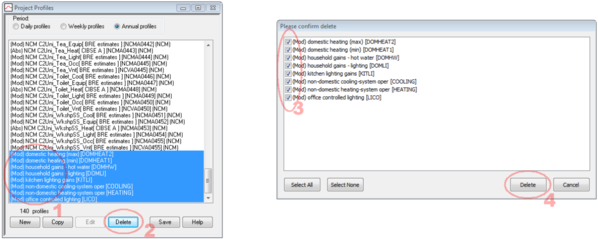
It is always good practice to keep the profiles database tidy and delete any unused profiles so as not to clutter up the display. The easiest way to do this is to multi-select a group of profiles by using the shift or control keys while clicking on the list.
Keep Formula Profiles as short as possible
The maximum length of a formula profile is 156 characters so be wary of very large strings.
Replacing missing profiles
Occasionally projects can become corrupted and parts of the VE reference a profile that has been removed from the project. We can repair these projects by adding the missing profiles back into the database. Consider the following example:
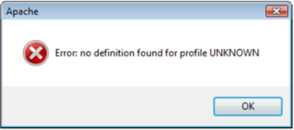
In Apache we receive the error message seen here when we try to run a simulation:
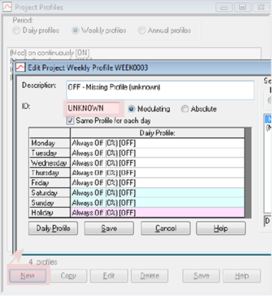
In order to resolve this we need to add a new profile to the database with the ID “UNKNOWN”.
1. Create a new weekly modulating profile.
2. Set the ID field to be “UNKNOWN”.
Once this is done we can then identify where the profile is used by interrogating the templates and Space Data then replace if necessary with a more appropriate profile.