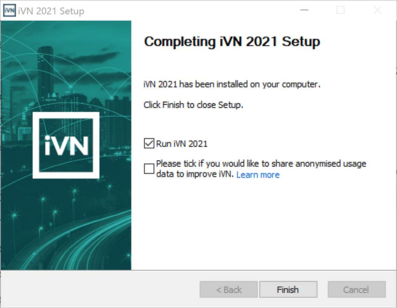
During installation of the iVN software the user is presented with the option to opt-in to iVN and share usage data to improve iVN
Figure 3-1: iVN installer > option to opt-in to iVN and share usage data to improve iVN
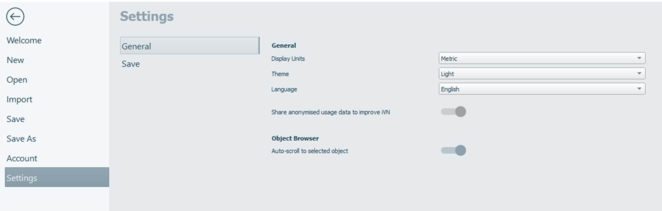
The user can change this setting within Homepage > Settings > General > Share usage data to improve iVN.
Figure 3-2: Homepage > Settings > Option to opt-in/out to iVN and share usage data to improve iVN
Following a crash of the iVN software, the software will close down. Crash recovery will attempt to recovery any data.
If the user has opt-in and is off-line when a crash occurs, the software will store crash details on the user’s computer and attempt to upload details once back online. The retry upload feature occurs in the background of the software.