Information about the selected room can be viewed and used to interact with channels relating to that room.
Identity (Read only)
Unique identifier within SCAN. Portion after last forward slash is the room ID in the VE model.
Description (Read only)
Room name in the VE model
Room area (Read only)
Area of the room according to the VE model. It can be used in model related expressions. m2 or ft2
Room volume (Read only)
Volume of the room according to the VE model. It can be used in model related expressions. m3 or ft3
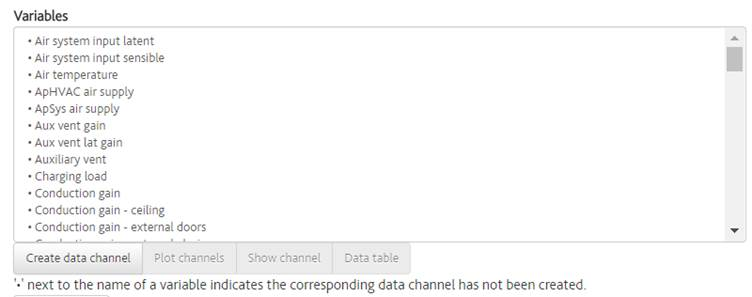
Variables
List of vista variables for that room. This list can be used to create new data channels or navigate to the channels or their data. Variables with a ‘•’ symbol beside them have not been created.
Create data channel
Creates a new channel in your building for the highlighted channel(s). You can highlight multiple channels using “ctrl” or “shift” keys to create them in a single room.
Plot channels
Opens the plot page with the highlighted channel(s) selected.
Show channel
Opens the channel list page for the highlighted channel. If multiple channels are selected, the first selected channel will be shown.
Data table
Opens the data table with the highlighted channel(s) selected.