In the iPIM project page, use the navigational tools of pan, zoom and orbit (as seen in the welcome page) to see the model from viewpoints.
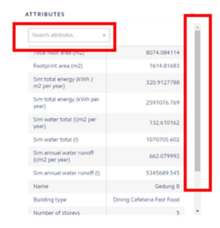
To view the data that was entered in the CSV, click on any pin, the attributes window pops up. Search for any attribute by typing in the attribute name or use the bar to scroll up or down to search for the attribute.