Once an AOI is defined in iCD, it can be used to synchronise only part of the iCD model to iCIM or iRoadmap.
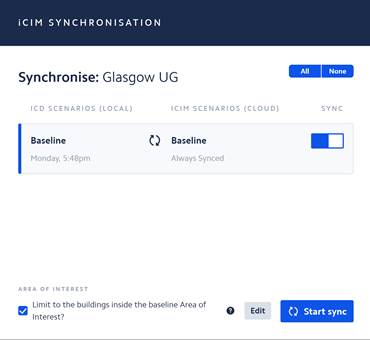
For the synchronisation process to consider only the changes that occurred within the AOI, the box Limit to the buildings inside the baseline Area of Interest? Should be ticked (see below)
Figure 9-40 Limit to the buildings inside the baseline Area of Interest?
Then like for any synchronisation, clicking Start sync will make iCD identify the difference between the model and the iCIM project.
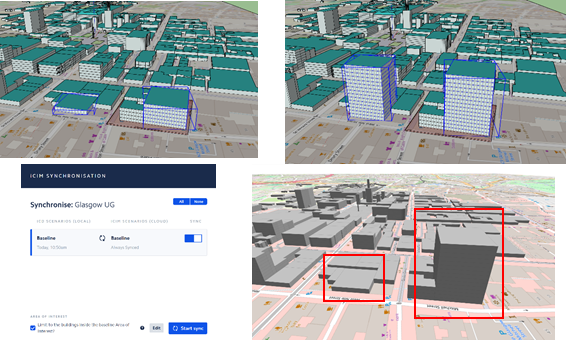
In the example below, one of the two highlighted buildings is located within a defined AOI. Both buildings were edited to have 15 storeys. The AOI is then synchronised with the iCIM/iRoadmap project. In iCIM, only the building within the AOI was updated.