9.2.4. Synchronizing changes between iCD and iCIM/iRoadmap
If any changes are to be made in the iCD model, it is possible to synchronise it with iCIM for the changes to be reflected in the iCIM project.
Similarly, if another user updated the project in iCIM, it is possible to synchronise iCD with iCIM for the changes to be reflected in the iCD model.
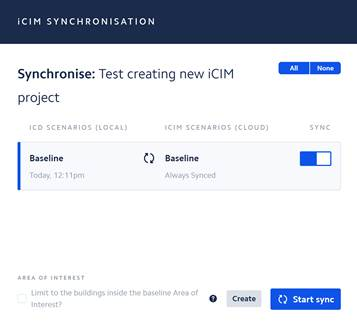
Both actions can be simply done using the Synchronize icon in the IES iCD toolbar. It opens the iCIM Synchronisation window. The first window lists the different scenario available for synchronisation and allows the user to select which one to synchronise. More details on scenario synchronisation in chapter 9.2.7Multi- Scenario Synchronisation. Clicking Start Sync, iCD analyses the discrepancies between the iCD model and the iCIM project.
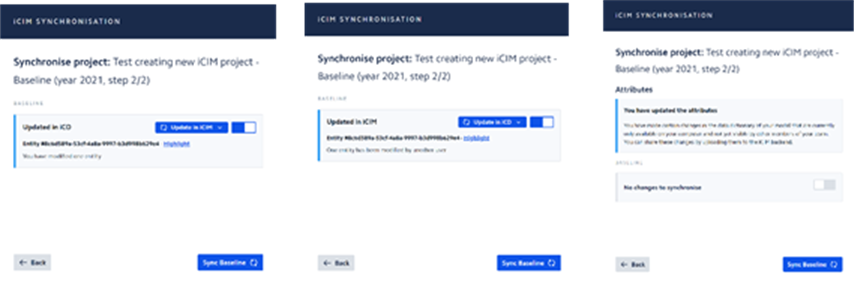
On the next window, are listed the discrepancies between iCD and iCIM. The user will then be given the possibility to select the required action which can be “Update in iCIM” (if changes were made in iCD) or “Update in iCD” (if changes were made by other users in iCIM) (see Figure 9-32 below). The iCIM synchronisation will also specify and synchronise attributes modifications if discrepancies are identified between iCD and iCIM.
Figure 9-32 Synchronisation options: Update iCD changes in iCIM (left), update iCIM changes in iCD (middle), attribute synchronisation (right).