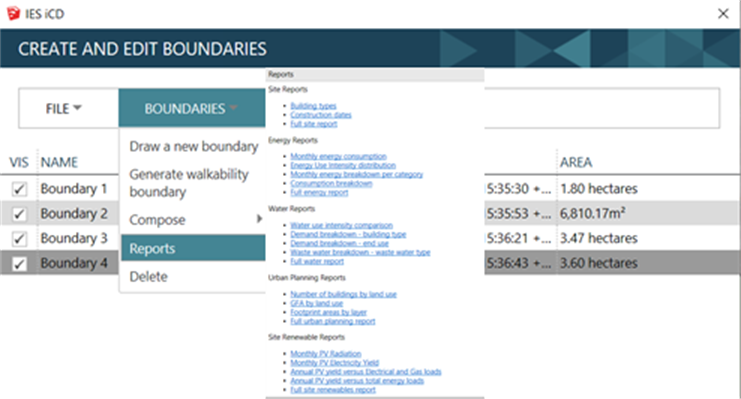
While model level reports generate analyses over the entire model, boundary level report are useful when it is needed to analyse data over a limited part of the model (Objects within a boundary). Boundary reports are generated from the boundary tool option to view, compare and analyse information for specified boundary level data evaluation. To generate boundary level reports:
1. Select boundary option from the iCD toolbar.
2. Check the appropriate boundaries from the boundaries list.
3. Select Boundaries < Reports.
4. Select the preferred option from the list of Reports.
Figure6-4Boundary Level Reports using the Boundary tool
Note: it also possible to generate boundary-level reports and compare them over several boundaries using the scenario tool (see 7.2Comparing boundaries)


 from the iCD toolbar.