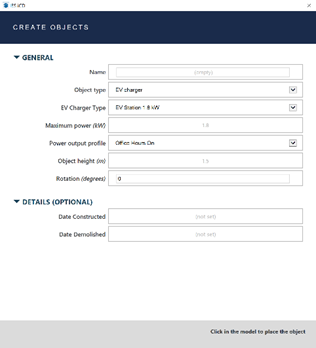
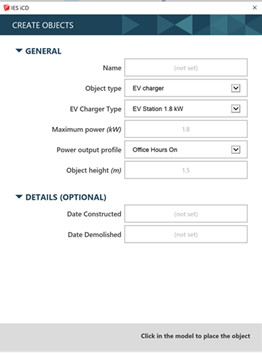
Select Create option < select EV Charger from Object type.
Create option from the iCD toolbar can be used to add EV Chargers to the model. EV chargers have the following attributes that can be customised by the user:
·EV Charger Type: Allows the user to choose from several pre-set EV charger types with different power ratings.
·Maximum Power: Determines the maximum power rating of the charger, allowing the user to overwrite the default value from the EV charger type.
·Power output profile: Specifies the operational profile of the EV charger. The same options are available as for Street lights.
·Object Height:Specifies the height of the charger, the default value is 1.5m/4.9ft.
Rotation (degrees):Orientation of the tree to the north (0°= north).
·Date Constructed: Specifies the year that the charger was constructed.
·Date Demolished: Specifies the year that the charger will be removed from the site.
Note:Data painter tool can also be used to copy / paste the EV charger’s attributes from one EV charger to others (see4.9.13DATA PAINTER).
Note: EV chargers can be duplicated just as PV panels (see 4.10.2Duplicate PV PANELS).


 from the iCD toolbar can be used to add EV Chargers to the model. EV chargers have the following attributes that can be customised by the user: