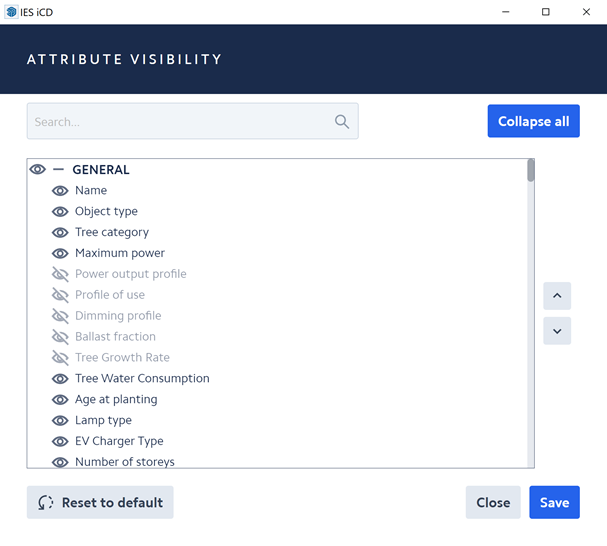
It is possible to choose which attribute will be visible in the Building / Query tool in the Attribute Visibility window.
This can be accessed via Extension Tab > IES iCD > Attribute Visibility.
Figure3-3: The Attribute Visibility dialog box
The easiest way to make an attribute visible is to click on the “crossed out eye”. This will make the attribute visible to the user in the iCD tools. To hide an attribute, simply click on the “eye” to disable it.