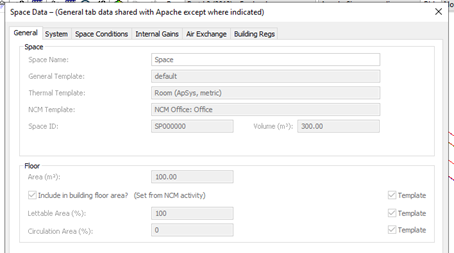
Upon selection of a room within the compliance geometry viewer, users can query the rooms space data by selecting the Query button.
The General tab includes the NCM template applied to the room predetermined by the Actual building selection. The applied NCM template overrides the room parameters based on the NCM activities database (as discussed above). This selection is in keeping with the Building and Room settings applied (refer to earlier sections).
All areas of the Space data dialog are deactivated for the Reference building: