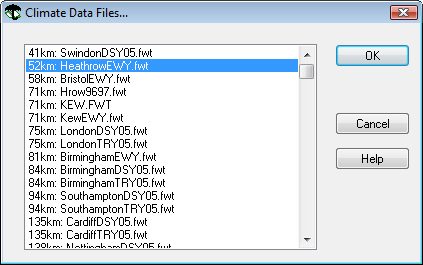
This shows the name of the hourly weather data file to drive your building simulation.
Each weather file has hourly values of:
dry-bulb and wet-bulb temperature
direct normal and horizontal diffuse solar radiation
solar altitude and azimuth
wind speed and direction
cloud cover
atmospheric pressure.
Clicking the Select button will give you a list of available sites, based on those files that are present in your installed Shared Content. The weather files are displayed in order of distance of their locations from the location chosen in Location & Site Data.
To select a file, highlight it, and then click OK. Click Cancel to exit without selecting.
Alternatively you can use the Nearest to site button to directly select the nearest weather file to the site location, without viewing the above list. However you should be aware that the “nearest” file may not always be the most appropriate, as the climate of another weather site further away may be a better match to the climate of the building’s site.
Annual climate files are used for simulation and IES have a large database for all parts of the world. Two file formats can be read in IES <VE>: *.fwt which is the IES <VE> proprietary file type and *.epw which is a US Department of Energy file format. Contact IES for further information or visit the IES website at www.iesve.com for current available downloads.