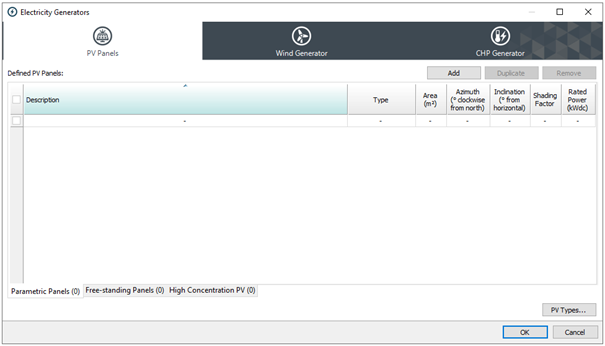
This dialog allows you to describe a photovoltaic system supplying electrical power to the building. Specify the existence of such a system by adding one or more entries to the list of PV panels.
There are three options; Parametric Panels, Free-standing Panels (Refer to ModelIT User Guide) and High Concentration PV.
Parametric Panels:
Parametric panels allow the modelling and simulation of PV panels in a project without the need to create them geometrically.
Type
The user-defined type of the panel. This controls the technology and performance characteristics of the PV panel.
Area
The area of the panel (m²).
Azimuth
Panel azimuth angle in degrees clockwise from north.
Inclination
Panel tilt angle in degrees from horizontal.
Shading factor
If adjacent buildings or any other object shades the PV array, the average shading effect can be modelled by reducing the shading factor from the default value of 1.000 (1.0 not shaded, 0.0 fully shaded).
Rated power
Rated power (kWdc). Equivalent to kWp . Calculated from the specified properties of the PV Type i.e. Module Nominal efficiency and Reference irradiance (typically 1kW/m2).
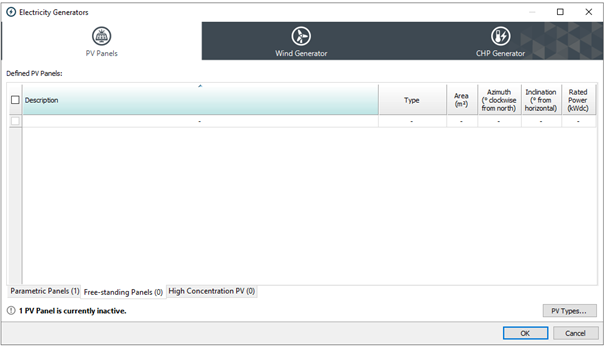
Free-standing Panels:
Free-standing panels are geometrically-created using the PV Panel tool in ModelIT. These panels cannot be created or deleted within the Electricity Generators window, nor can their values be edited (with the exception of Type).
Type
The user-defined type of the panel. This controls the technology and performance characteristics of the PV panel.
Area
The area of the panel (m²). This was defined during creation of the PV panel in ModelIT and cannot be edited.
Azimuth
Panel azimuth angle in degrees clockwise from north. This was defined during creation of the PV panel in ModelIT and cannot be edited.
Inclination
Panel tilt angle in degrees from horizontal. This was defined during creation of the PV panel in ModelIT and cannot be edited.
Rated power
Rated power (kWdc). Equivalent to kWp . Calculated from the specified properties of the PV Type i.e. Module Nominal efficiency and Reference irradiance (typically 1kW/m2).
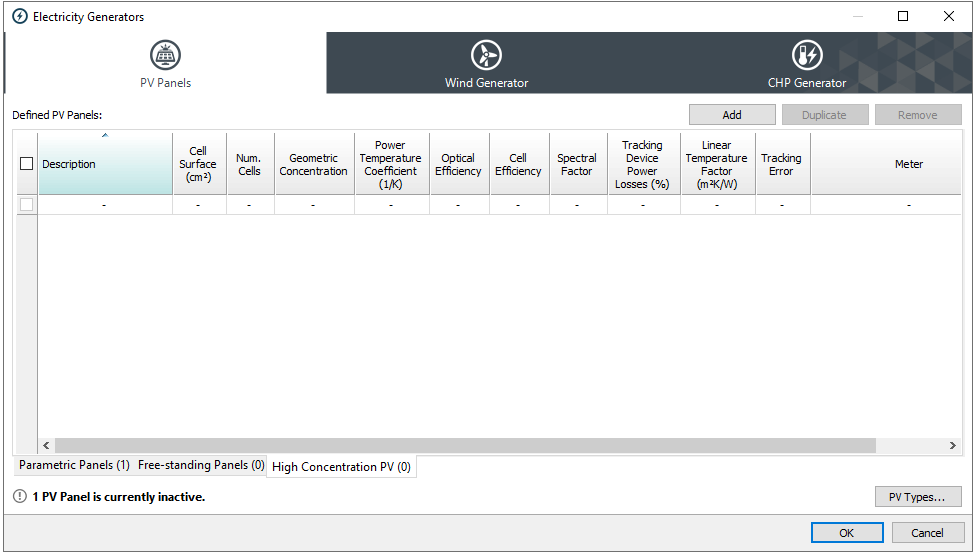
High Concentration PV
Details to follow
PV Types (previously PV array type and performance parameters)
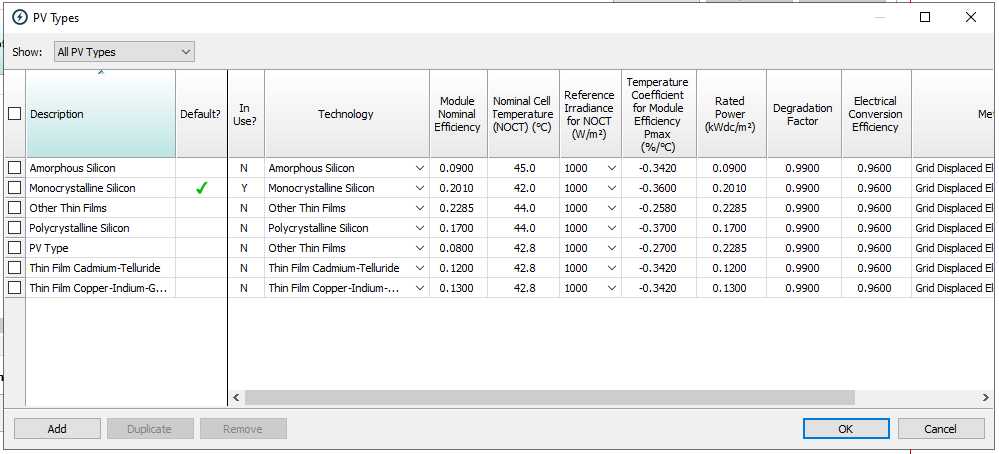
PV Types are used to define the technology and performance characteristics that can be used by Parametric and Free-standing PV panels. This allows you to easily change these parameters to determine the best performance characteristics on the same panels (e.g. comparing energy performance in two simulations using different panel technologies), as well as quickly applying the same characteristics over a set of PV panels.
Each new VE project will have suitable default PV types pre-created to allow you to quickly model the performance of PV panels with commonly-used technologies and values. To add, edit or delete PV types, click on the PV Types… button from the PV Panels tab.
Description
Enter a description for the PV Type.
Default
Define which PV Type is the default (in new projects, this will be a PV Type using the Monocrystalline Silicon technology). Selecting a type included in the table will populate the data grid on the right with common default values for that type.
In Use?
This is linked to the ‘Defined PV Panels’ UI. If a particular PV type is selected from the ‘Type’ drop-down for any defined Parametric or Free-standing Panel, it is defined as ‘In Use’
Technology Type
Choose a PV array type from the 6 options
· Amorphous silicon
· Monocrystalline silicon
· Other thin films
· Polycrystalline silicon
· Thin Film Cadmium-Telluride
· Thin Film Copper-Indium-Gallium-Diselenide
If you do not have specific data on the performance of the PV array you can tick this box to apply suitable defaults based on the PV array type.
PV array manufacturers then provide standard defaults, as standard.
Modular Nominal Efficiency
The nominal efficiency is the fraction of solar radiant power that is converted to useful electrical power at a standard temperature and solar irradiance.
Nominal Cell Temperature (NOCT)
The cell temperature under standard test conditions – ambient air temperature 20°C and irradiance either 800 or 1000 W/m2. Note: this value is always displayed and edited in ˚C to best accompany the performance data provided by manufacturers.
Reference Irrandiance for NOCT (W/m2)
There is a degree of standardisation in the presentation of PV performance data. For example, there are Standard Test Conditions (STCs) for current, voltage, output power and temperature coefficient, and Standard Operating Conditions (SOCs) for NOCT. However, two standards are in use for SOCs, based on irradiances of 800 and 1000 W/m2 respectively, so one should always check the stated conditions. Note: this value is always displayed and edited in W/m² to best accompany the performance data provided by manufacturers.
Temperature Coefficient for Module Efficiency(1/K)
This parameter describes the rate at which the panel’s conversion efficiency falls off with increasing cell temperature.
η = η0 [1 – β (Tc – Ta )]
where
η is the conversion efficiency at cell temperature Tc and outside temperature Ta
Note: this value is always displayed and edited in %/˚C to best accompany the performance data provided by manufacturers.
Rated power
Rated power (kWdc). Equivalent to kWp . Calculated from the specified properties of the PV Type i.e. Module Nominal efficiency and Reference irradiance (typically 1kW/m2).
Degradation Factor
Field measurements of a representative sample of PV modules may show that the PV module powers are different than the nameplate rating or that they experienced light-induced degradation upon exposure (even crystalline silicon PV modules typically lose 2% of their initial power before power stabilizes after the first few hours of exposure to sunlight). The degradation factor accounts for this drop in performance.
Electrical Conversion Efficiency
This is the combined efficiency of conversion of DC electrical power from the panel to delivered AC electrical power.
Meter
The Meter recording the power output.
Select the associated Electricity Meter from the drop down. Define Meters within ‘Energy Sources and Meters’.