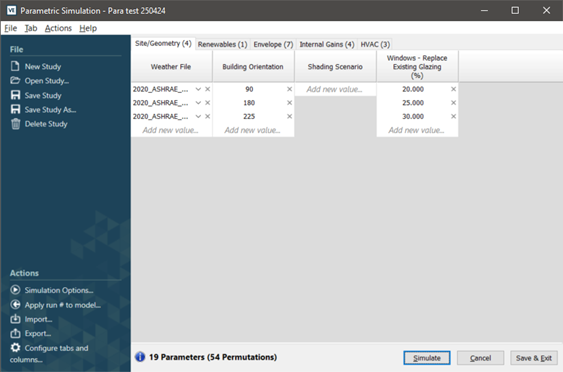
Parametric tool main dialog
When first opened in a session the Parametric Tool will load previous or default entries.
The Parametric Tool main dialog is then displayed.
Figure: Parametric Tools main dialog.
The main dialog comprises:
o A menu bar.
o A side pane divided into file and actions.
o A main pane of parameter category tabs, parameters and parameter inputs.
o A bottom bar with parameter and permutation information and buttons.
The side pane provides easy access to most menu bar items.