The “Common User Interface” consists of the following components:
Pull-down Menu Bar
The titles on this menu bar change depending on the application that you are using at the time
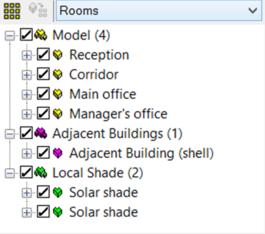
Model Browser
The main function of the model browser is that it allows you to organise your model for a faster work flow.
The model bodies will be automatically grouped by body type (Model/Adjacent Buildings/Local shade/etc.) for easier navigation. The number of bodies in each body type group will be shown in brackets.
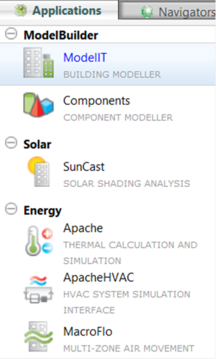
Application Selector
This area of the screen allows you to select the required application within the Virtual Environment
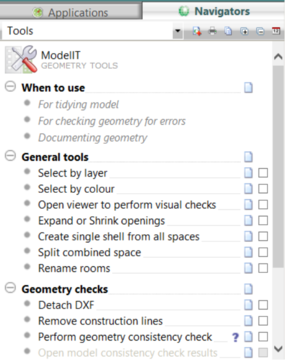
Navigator selector
This area of the screen allows you to select a navigator which will guide you through a particular area of the modelling/simulation workflow.
Generic Toolbar
New project
Pan
Open project
Zoom previous
Import gbXML
Zoom next
Save project
Select View
Archive project
Axon.
Toggle Navigator
Rotate
Toggle Browser
Display mode
BTM (Templates)
Storey to display
Tabular BTM
Move up a view level
Add components
Move down a view level
Fit view
Object list (edit mode)
Fit to selected space(s)
Site rotation
Zoom window
Refresh display
Zoom in
Model viewer (advanced)
Zoom out
Application Specific Toolbar
Each application tab has a different set of tools relevant to the module. The image below shows the buttons relevant to ModelIT. For more information on these and other application specific tools please refer