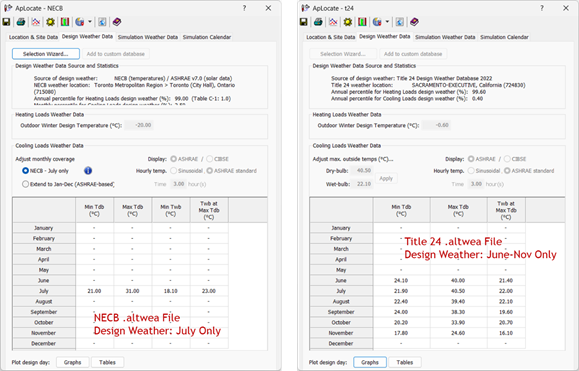
When a project is in Compliance mode, specifically with active Canada-NECB or California-Title 24 Navigators and Prototype/Templates are imported, incorrect data may be reported. This issue is due to the possible existence of both .wea (for design) and .altwea (for compliance) files simultaneously in the same model.
If both a design model (.wea file) and compliance models (.altwea file) are present in the same model, the .altwea file will always take precedence. There is no method to promote or reset the .wea file to generate a Climate Assessment Report.
If the design-based .wea model is being misrepresented in the Climate Assessment Report, the simplest workaround is to create a new model and set up ApLocate with any design-based .wea data as normal for the sole purpose of generating the Climate Assessment Report, without a compliance influence.