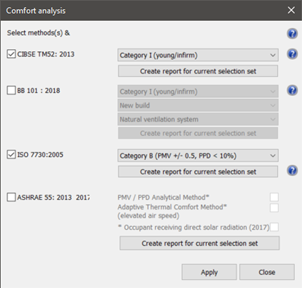
To access the Comfort analysis dialog, open VistaPro, then click on the Comfort Analysis toolbar button

.
The Comfort analysis dialog will appear where the user should then select the BB101:2018 option.
Figure 2 – Comfort analysis dialog
Within the BB101:2018 option select occupant category, build type and system type.