PV calculations are required on both the proposed and the standard model. A new section in the navigator covers the actions required to add SARA compliant PV panels.
·'Place PV Panel Geometry'
o This launches the button to allow users to add PV geometry to both the design and proposed model and all types are available for selection. The energy production from PV Panels are to be included in the Design case model and proposed model. PV panels may also have a shading impact on the design model.
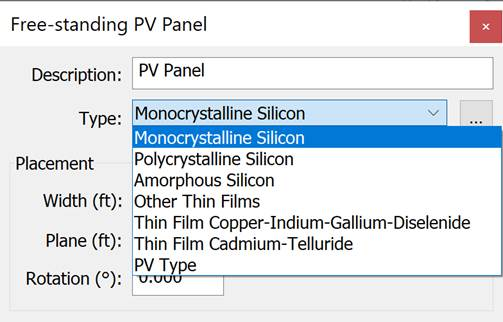
o On selection a dialog provides the user to describe the PV Panel type and define the spatial geometry and location as shown below. The user is required to place a PV Panel in the model window screen by selecting a point of placement
PV Panel Geometry input Settings (Design Model Only)
'Group Shading Objects' -
This action create a room grouping called 'Solar access study' with groups 'Include in study' & 'Exclude from study'. By default all objects will be in 'include in study'
The user will place objects in 'exclude in study' where roofs or shades are to be excluded from the assessment. This allows users to set the study to ignore irrelevant roofs e.g. low level porches, canopies, ledges etc.
'Calculate PV Solar Access (SARA)' -
Here a dialog is presented to inform the user that all PV panels will be updated to have Title 24 properties for compliance calculations and that all parametric panels are not included in the compliance calculations
The software uses Suncast to carry out the solar access calculation
'Generate Solar Assessment Report'
This action generates a Python based PDF report used to assess the solar access for each PV Panel
'Exceptions' –
This action launches the 'PV Sara and User Exceptions' dialog. The 'Solar Access Roof Area' is filled in automatically from the already entered combined compliant PV area from the electricity generators dialog and is greyed out.
A note is presented if non compliant panels exist.
The 'PV capacity' and is filled in automatically from the already entered combined compliant PV capacity from the electricity generators dialog and is greyed out
The user can then choose any exceptions that apply
Note:PV’s are also added to the standard model based on the requirements of the standard. This is handled automatically by the software.