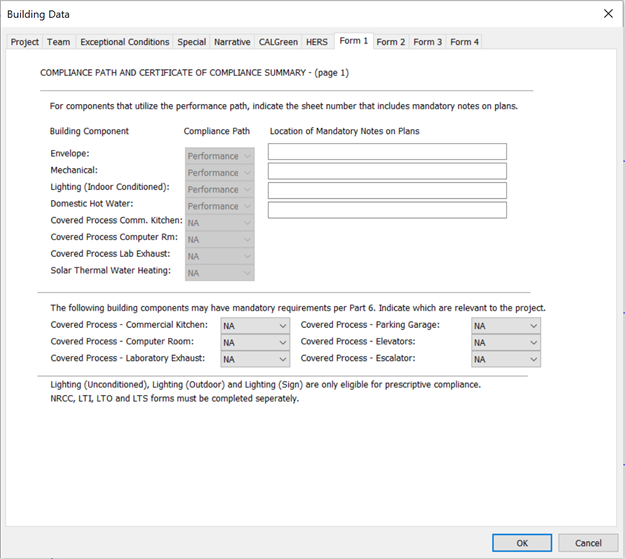
To access the Form 1 Tab screen as shown below, click the “Set building data” action in the navigator and then select the Form 1 Tab
Building Data (Form 1)
Input summary for the Form 1 tab:
· Compliance Path: The user is required to identify the compliance path for each Building component
· Location of Mandatory Notes on Plans: Enter the location where the notes of the building component compliance path can be found.
· This form also allows a user to select whether certain building components are eligible for prescriptive compliance.