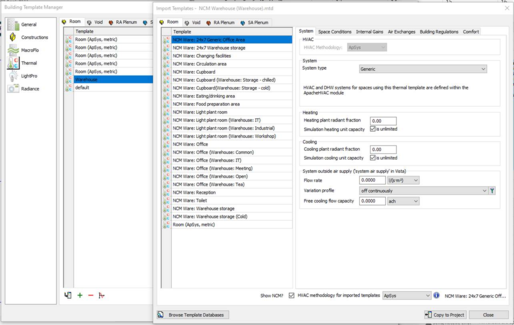
An efficient way to assign Room Data is by means of Thermal templates. A Thermal template contains a collection of settings that define the internal conditions applying in a room of a given kind. By defining these conditions centrally you can assign them quickly to large numbers of rooms and transfer them readily to other models via the Import Template mechanism.
Room Templates contain data arranged on tabs under the headings Building Regulations, Room Conditions, Systems, Internal Gains and Air Exchanges. Not all this data is used in VE Compliance assessments, some being overridden by standard settings. It is therefore important to understand where and how the various components of Room Template data are used. In particular, if you do not intend to use the analysis options available in the Apache module (which analyses the real building) you do not need to set Room Template data on the Room Conditions and Internal Gains tabs, or create air exchanges of the Auxiliary Ventilation type.
One of the attributes that can usefully be set in the Room Template is the NCM Activity, which is always partnered with an NCMBuilding Type. If these attributes are set in the Room Template, rooms assigned the template will automatically have the NCM Activity (and all the Room Data associated with it) set in VE Compliance.
If you adopt a policy of including NCM Activity settings in your Room Templates you will save a lot of time and effort assigning NCM Activities to individual rooms and groups of rooms in VE Compliance.
The next section provides guidance on the Room Template settings.