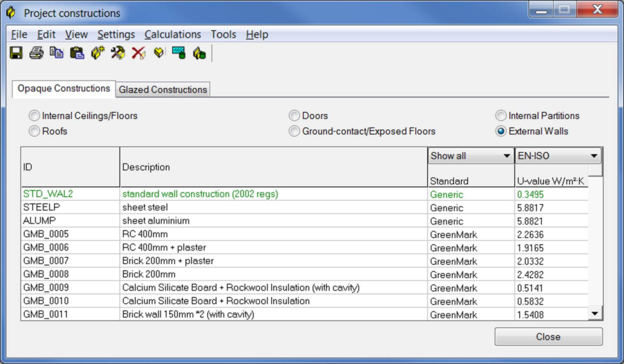
Selecting this Navigator action opens the ApCDB, or Construction Database, dialog:
If you have previously imported the Green Mark baseline files, a number of constructions will be shown which are targeted at the Singapore / Green Mark environment. It is also possible to create new constructions, or modify existing ones to suit the material selection for the current project.
It is also possible to manually import constructions from the System Construction database that ships with the <VE>. This database can be opened using the View -> System Constructions menu entry. Right-click the required construction and select “Copy Construction”. This will copy the system construction into the project.
Edit an existing project construction by double-clicking the line you wish to edit. You can change the layers of a construction, as well as the materials (and material properties) for each layer.
Note that the pre-defined constructions imported with the Green Mark template are not editable directly. You will simply need to select it and copy it as a new construction, then the copied version will be editable.