The Vertical Sky Component (VSC) is the ratio of the illuminance at a point on a given vertical plane due to the light received directly from a sky of assumed or known luminance distribution, to that on a horizontal plane due to an unobstructed hemisphere of this sky.
The Sky Component (SC) is the ratio of the illuminance at a point on a given plane due to the light received directly from a sky of assumed or known luminance distribution, to that on a horizontal plane due to an unobstructed hemisphere of this sky.
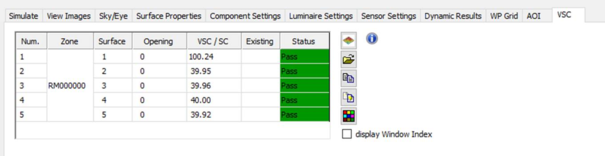
After a VSC or VSC/SC simulation has been performed, a notification will pop up, to go to the VSC tab to view the results:
The Pass/Fail results will be displayed in a table:
View Results in ModelViewer
Viewing the results in the ModelViewer will show all windows coloured red or green on the 3D model as a visual indicator of which windows pass and fail across the whole model.
Import VSC data from another model
It is possible to import another VSC file (*.txt) into the VSC table alongside the current results for comparison.
Copy VSC Data to Clipboard
The VSC data can also be copied to the clipboard for pasting into another application (e.g. a spreadsheet) for further processing
Copy ViewPort to Clipboard
The model view with VSC results can be copied to the clipboard for pasting into another application (e.g. Word) for reporting purposes.
If the Display Window Index checkbox is ticked, the index number for each window (taken from the VSC results table) will be displayed in the model.
VSC colours
The colours used to highlight plane pass/fail in the model in the view window or Model Viewer 2 can be set.
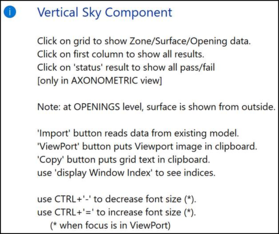
The blue information button gives tips about displaying VSC results, including how to change font size.


 View Results in ModelViewer
 Import VSC data from another model
 Copy VSC Data to Clipboard
 Copy ViewPort to Clipboard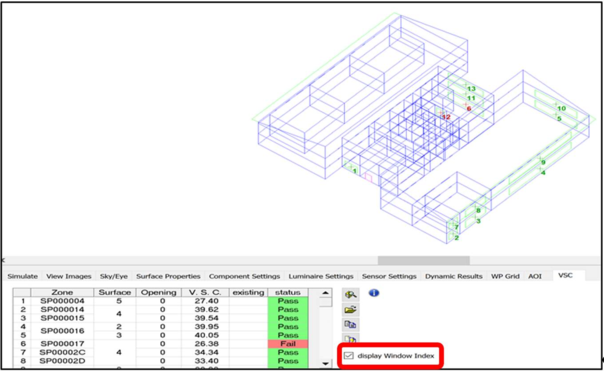
 VSC colours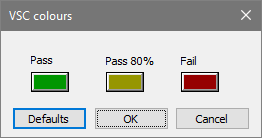
 The blue information button gives tips about displaying VSC results, including how to change font size.