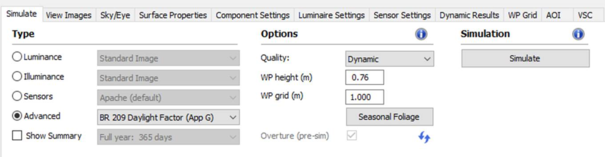
Once a BR 209 method has been selected a new button will be visible under options labelled ‘Seasonal foliage ’.
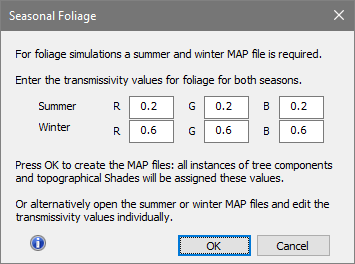
Click on this button to open the seasonal foliage defaults dialog.
In order carry out BR 209 simulations two sets of simulations are required; each simulation requires a separate MAP file that defines the foliage propertiesin summer & winter states.
For most BR 209 simulations users will be adding a small number of trees and/or vegetated shades that are close to target spaces. This dialog automates the creation of the summer & winter MAP files required and for all components and vegetatedshades sets the type to glass and RGB TRNS values to thedefaultvalues entered in the dialog.
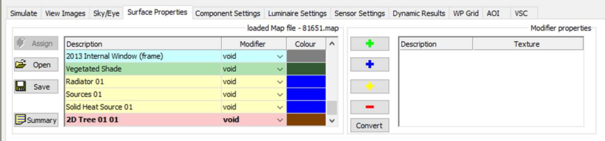
If different tree/hedge species are involved or there are other opaque components and vegetatedshades in the model, click on the RadianceIES > surface properties tab.
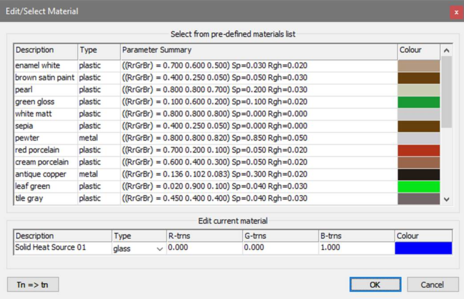
For each summer / winter MAP file andfor the required entries double click on the colour cell to open the material edit dialog; revise the type & properties as required.
Note: setting a TRNS property to say 0.6 means an implied reflectance of 0.4.