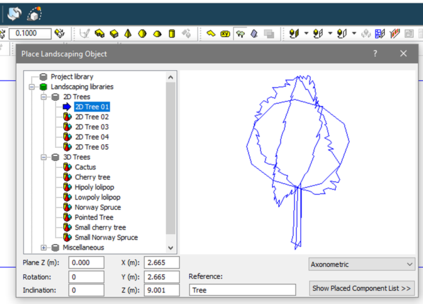
Geometry for trees and hedges for appendix G daylight simulation can be applied to the model by:
·2D tree components:
ModeliT > Place landscaping objects gives access to ready-made individual 2D trees that can be scaled and placed in the model.
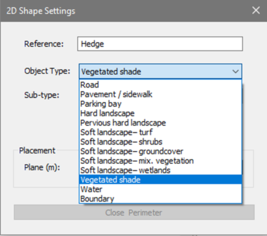
·Plane > vegetated shade :
ModeliT > Draw planeallows the drawing of 2D planes on any plane; planes can be used to represent hedges orcombination foliage on aboundary. Set the view to draw on the required plane and select Draw plane; on the dialog that is shown select Vegetated shade: