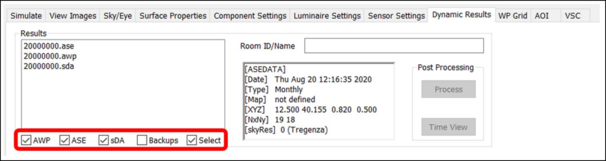
In this tab, climate-based daylight modelling (dynamic advanced CBDM analysis) results files can be viewed and post processed.
If numerous dynamic simulations have been performed for the model, this list may be long. Use the filter checkboxes at the bottom to limit the list to only certain file types, or select space(s) in the model, and tick the Select checkbox, so that only valid results files for selected spaces will be listed.
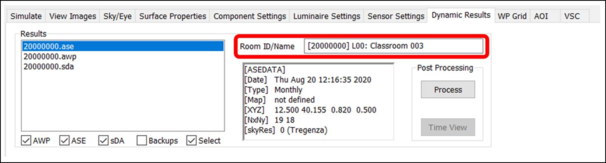
Once a results file is selected on the left, the information window displays the ID of the space that is currently selected, with a list of data underneath, including: date of the simulation; simulation frequency; minimum x and maximum y grid coordinates, working plane height, grid size, number of grid points along the x and y axes; and sky resolution.
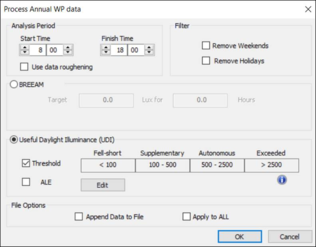
The Process button opens a window that allows you to post-process the selected results file. Analysis times and thresholds can be set, dependent on the selected results type:
For UDI simulations, threshold bands can optionally be viewed in the results. If the Threshold checkbox is not ticked, then threshold data is not analysed and cannot be viewed.
The Append Data to File checkbox will add results to an existing processed results file instead of overwriting it.
The Apply to ALL checkbox will process (or append data to) all simulated spaces, regardless of the space selected.