The quality can be set to Medium, High or Maximum, VSC or Dynamic.
RadianceIES comes with pre-defined quality options which are configured for each type of analysis and it is recommended to use these however advanced users may opt to choose custom.
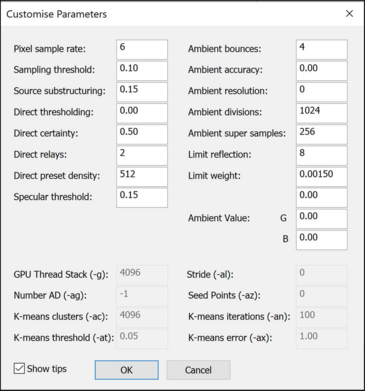
The quality parameters can be customised by clicking on Custom from the drop-down menu. This opens a dialog box to allow the setting of individual simulation parameters.
Refer to online Radiance documentation and appendix for details of each Parameter.
The quality settings can be saved to a file or retrieved from a file (*.rdp file). To load a *.rdp file select ‘Browse’ from the quality drop down.
The VSC option is used for Vertical Sky Component simulations – it has the Ambient bounces parameter adjusted to generate the Sky Component (Vertical Sky Component) values.
The Dynamic option is used for Climate-Based Daylight Modelling (CBDM) simulations. For more information about VSC and CBDM, please refer to Section 2.1.4. Advanced.