To run a UDI simulation for a model in RadianceIES, go to the Simulate tab, select the Advanced option, then select Annual Dynamic (UDI). The image quality will be set automatically to Dynamic. Then, select the working plane (WP) height and the WP grid dimensions
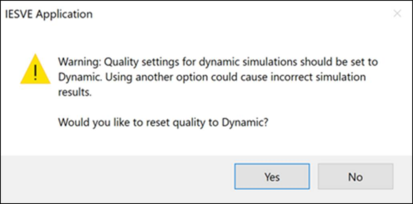
If the image quality is changed subsequently, a warning message will appear, noting that this can affect the results accuracy.
Click Simulate to start the simulation:
Once the simulation is complete, go to the Dynamic Results tab to review and process results, which are listed as .awp files.
Annual Working Plane (.awp) files are used to create results in terms of Lux values. Daylight autonomy is automatically calculated using climate data. For UDI simulations, tick the threshold checkbox to be able to view threshold bands in the results, and edit the values of the bands if desired. If the Threshold checkbox is not ticked, then threshold data is not analysed and cannot be viewed.