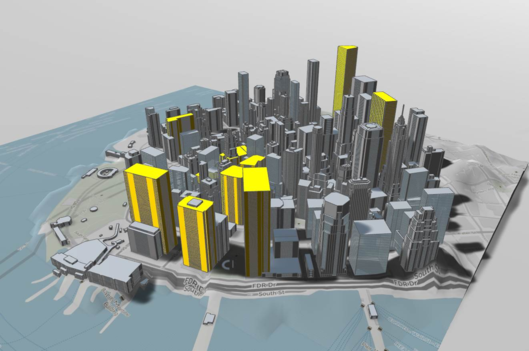
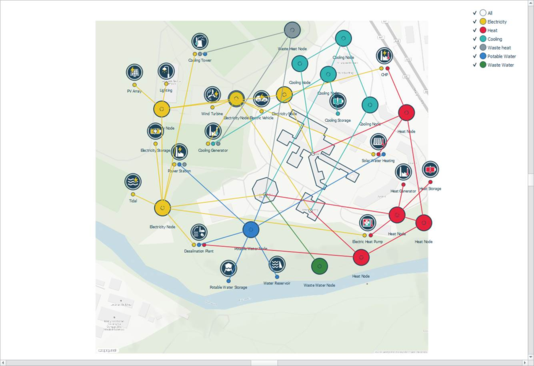
Workspaces within iVN include: 3D model viewer (Figure 3-23), 2D virtual viewer (Figure 3-24) and the 2D physical viewer (Figure 3-26).
Within the 3D model viewer visual settings can be adjusted via the Data inspector; shadows, terrain, map image etc.
Figure3-25:3D model view workspace
The 2D virtual viewer includes 2 display modes; Schematic and Geographical, accessible via the view tab (see Figure 3 4).
Figure3-26: 2D virtual viewer - Workspace
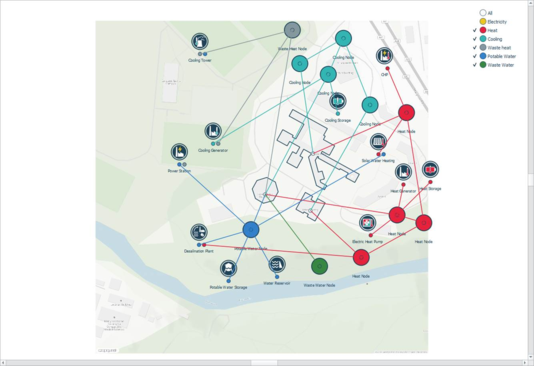
The visibility of networks can be toggled on-off within the 2D virtual viewer networks. Figure 3-25 is an example of the electricity network hidden from the viewer. Hidden networks still form part of a network simulation.
Figure3-27: 2D virtual Viewer - Electricity hidden from the Network viewer workspace
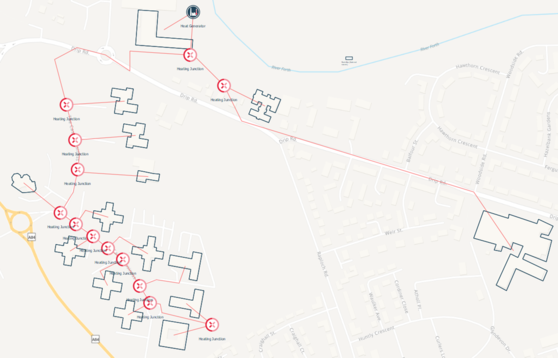
Within the 2D physical network, a user can model ing networksiew of a physical network.
Figure3-28: District heating example - physical view – Workspace
derived from the geographical layout of the 2D physical view. The user has the option in the data inspector to manually override the pipe length.