3.4.4.1 Export results to iSCAN
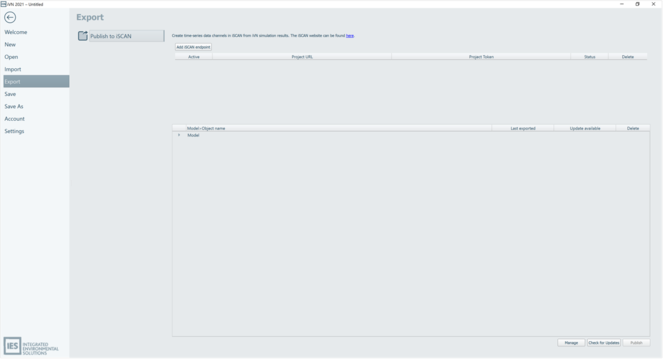
The ‘Publish to iSCAN’ section is where users setup and manage iSCAN endpoints and iVN object results variables for export.
To create an iSCAN endpoint the user selects the ‘Add iSCAN endpoint’ button. This adds a new row to the iSCAN endpoint management table. The ‘Status’ indicator informs the user whether the iSCAN endpoint URL and token is valid e.g. Ok = green status, Failed = Red status.
There is no limit on the number of iSCAN endpoints that can be added to the table. Selections and settings within the ‘Model > Object name’ table are persisted at the project level against the activate iSCAN endpoint.
To avoid sharing sensitive iSCAN endpoint project token data, shared projects do not display the iSCAN endpoint project token data and instead **** are displayed. Only users that have added the iSCAN endpoint can manage and edit the iSCAN endpoint row.
The ‘Model > Object name’ table lists each model/scenario(s) within the loaded project.
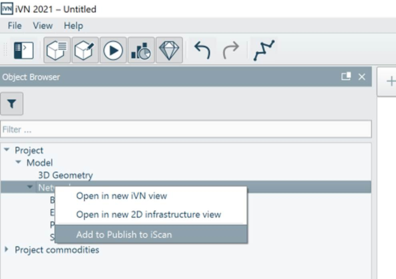
Commodity level result variables per model/scenario are added to ‘Model > Object name’ table by right-clicking the Network heading within the Object browser and selecting the ‘Add to Publish to iSCAN' option.
Commodity level result variables for the selected model/scenario are displayed under the relevant model/scenario heading in the ‘Model > Object name’ table.
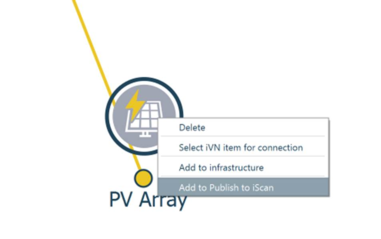
‘2D Virtual’ related objects, except network nodes, can be added to the ‘Model > Object name’ table by right-clicking the relevant object within the Object browser or via the ‘2D Virtual viewer’ and selecting the ‘Add to Publish to iSCAN' option.
The selected object(s) (e.g. PV array) are displayed under the relevant model/scenario heading in the ‘Model > Object name’ table.
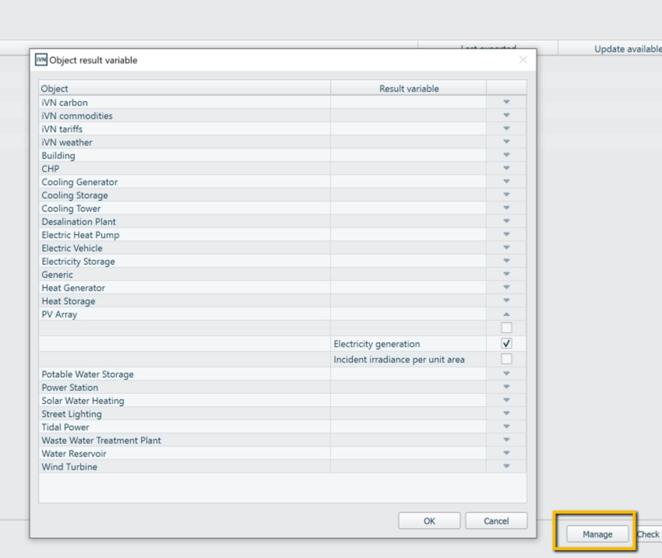
By selecting the ‘Manage’ button a user can manage the results variables that are to be exported on an object by object type basis. The ‘Object result variable’ dialog includes a number of default selections and can be edited by the user.
Once setup is complete. The user is required to select a valid iSCAN endpoint (i.e. active) and at least 1 model/scenario (row) within the ‘Model > Object name’ table. Selection of the ‘Publish’ button enacts the publish and creation of iSCAN data channels in iSCAN based on iVN result variables.
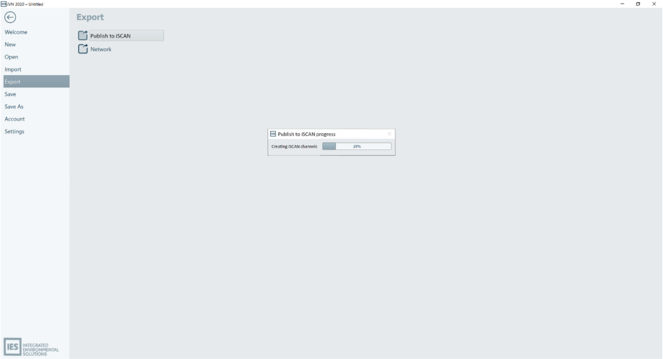
A progress bar informs the user on the Publish to iSCAN progress.
Upon completion, the ‘Last exported’ and ‘Update available’ columns are populated in the ‘Model > Object name’ table.
The following format for exported iVN results variables in iSCAN is as follows
· iSCAN building = iVN project name - iVN Model name
· iSCAN data channel = Object type name – result variable name