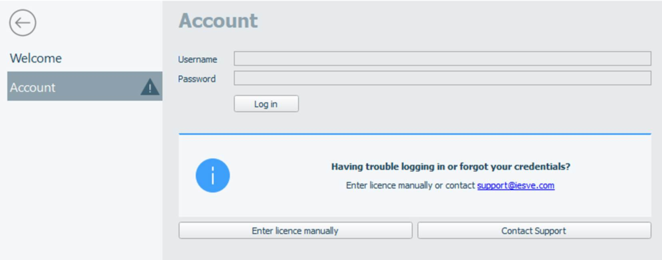
If the user is not logged into the software, the accounts page is displayed (see Figure 3-6). A licence for the software is obtained upon the user inputting their log in credentials. To exit the homepages, either trigger an action (e.g. by creating a new project or opening an existing one) or left-click the exit arrow icon.
Figure 3-6: User can log in via the Homepage Accounts page