If any changes are to be made in the iCD model, it is possible to synchronise it with iCIM for the changes to be reflected in the iCIM project.
Similarly, if another user updated the project in iCIM, it is possible to synchronise iCD with iCIM for the changes to be reflected in the iCD model.
Both actions can be simply done using the Synchronize icon in the IES iCD toolbar or via IES iCD Extension > IES iCIM client > Synchronise model.
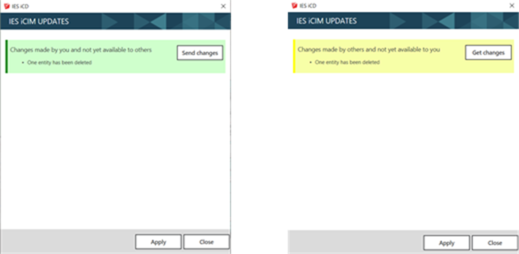
The IES iCIM UPDATES dialog box will then appear and identify the discrepancies between the iCD model and the iCIM project. The user will then be asked to send his modifications to iCIM or to download those made by other users from iCIM (see images below).