The Shading catchment allows the end-user to choose which surrounding objects will cast shadow and thus have an impact on the energy simulation.
To include surrounding objects such as shading in the simulation, the Include objects within: box should be ticked and the desired radius set. The Update button should then be clicked.
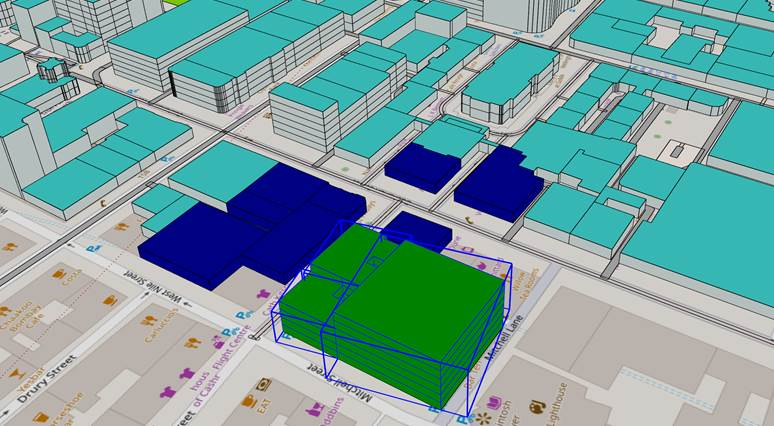
After clicking Update, the SketchUp model will show the buildings to be simulated in green and the objects to be used as shades in the simulation in blue.
Figure 5-8 Simulated buildings (in green) and surrounding buildings (in deep blue)
Note:No simulation can be launched if the Update button has not been clicked (the Launch button remains grey). Thus, once the buildings are selected it is required to press the Update button even if no shadings are selected.